Last updated: October 26, 2026
Not long ago AWOL took the Aetherion to Kickstarter and raised its first $10 million in just twelve hours, which looked out of reach for this segment. XGIMI did it with the AURA 3 in two hours, and by the end of the first day the campaign had already passed $15 million from almost six thousand backers. It’s not XGIMI’s first success of this kind: in June its Titan Noir closed at $18.8 million and became the most successful projector campaign on the platform. The AURA 3 campaign runs until December 4, so it’s safe to say that record will fall and the AURA 3 will top the list of the most successful projector launches.
What we got our hands on is the top model of the launch lineup, the AURA 3 Max. There are two models at launch: the AURA 3 Max, rated at 5,700 ISO lumens and 8,000:1, and the lower-tier AURA 3 Pro at 4,100 ISO lumens and 7,000:1. According to the official spec table, everything else is shared: chip, controllers, irises, features and chassis size, while the Pro is half a kilogram lighter, 8.9 kg against 9.4 kg for the Max. The Max won’t stay the top of the series, though: the manual in the box already mentions an AURA 3 Ultra Max, and, like the Titan Noir Ultra Max in the Titan line, it will come later and only at full retail price. On its rated specs the AURA 3 Max lays claim to leading the whole class: two irises and, for the first time, 4K at a true 120 Hz. It’s a serious bid, but the numbers themselves are less interesting than the problem XGIMI is trying to solve with them.
Ultra-short-throw (UST) projectors have a well-known weakness. To stretch a picture across a large screen from a couple of dozen centimetres away, you need a lens with a huge aperture and a large aspheric mirror that bounces light at a very steep angle. A system like that is full of stray light: some of it reflects off the lens elements and the walls of the optical block, some scatters on the chip itself and lands on the screen where black should be. That’s how the whole class earned its “bright but grey” reputation. And laser dimming doesn’t cure it, because the problem is in the design itself.
XGIMI tried to tackle it from three sides: the chip, the iris and the optics. Let’s start with the chip. This is a 0.47-inch SST DMD (TI’s new DMD generation), and in the UST class it shows up for the first time, together with the newly unveiled AWOL LuxVision. The Aetherion, for example, still used the previous TRP generation. According to Texas Instruments, SST changes the tilt geometry of the micromirrors: the light paths of the on and off mirrors are separated better, so it’s easier to keep stray light away from the lens. We’ve already tested SST in the long-throw Titan Noir Max, and it showed itself well there.
The second part of the answer is the iris, and there’s more than one. XGIMI calls the AURA 3 the first UST with two irises working together. That’s the manufacturer’s claim, but I don’t know of another ultra-short-throw projector with this design today: the Aetherion has a single iris, albeit a very good one. The AURA 3 offers five steps, f/2.0, f/3.0, f/4.0, f/5.0 and f/7.0, plus a dynamic mode that is on by default and, according to XGIMI, adjusts the iris frame by frame. In its Q&A responses XGIMI gave figures for each step: from 3,000 ISO lumens and 2,000:1 at f/2.0 down to 500 lumens at f/7.0. The rated 8,000:1 is also quoted for f/7.0, measured full on / full off, with no forced dimming. So maximum contrast and maximum brightness live at opposite ends of the scale, and, as with the Aetherion, the choice between them is left to the user.
On top of the irises sits DBLE (Dynamic Black Level Enhancement), XGIMI’s laser dimming that we already know from the Titan Noir Max. It’s claimed to raise dynamic contrast by up to 10x without losing shadow detail. Both DBLE and the dynamic iris are driven by a separate X-VISION FPGA processor that analyses the picture frame by frame. As usual, I treat dynamic contrast figures with caution: on real scenes what matters is the speed and effectiveness of the dimming, not the peak number on a black field. We’ll go through how DBLE handles real scenes in detail in a separate section.
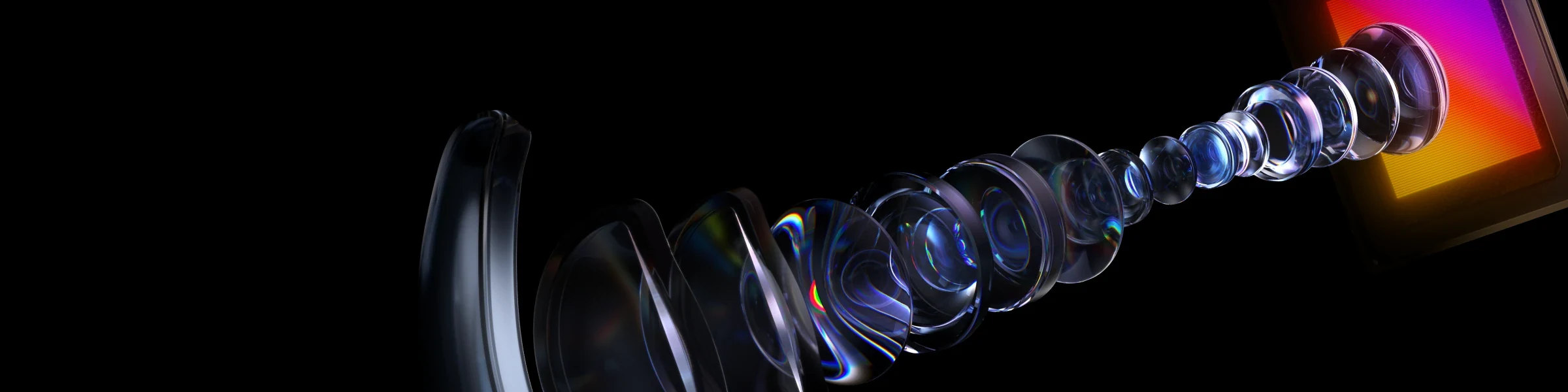
The third part of the answer is the optics. XGIMI describes a 19-element optical system with ED (extra-low dispersion) glass against chromatic aberration at steep angles, an ultra-broadband coating and a 14-layer multi-coating on the lenses applied with 5 nm accuracy. The goal is the same throughout: fewer internal reflections, more light on the screen and even sharpness right out to the edges, where USTs usually have the most trouble. To jump ahead, sharpness really is a strong point: in optical resolution this is the best UST we’ve tested so far, details in the lens section.
The light source is an RGB triple laser with a claimed 110% BT.2020 gamut. Against laser speckle XGIMI uses several measures at once: a multi-wavelength laser array, a half-wave plate and two diffusers, one static and one moving. How that works in practice we covered in Laser Speckle.
Now the platform, and this is the main highlight. There are two DLP controllers, both the new DLPC8555, working in parallel. According to XGIMI, that’s exactly what makes the AURA 3 the first UST that doesn’t just accept 4K/120 but actually displays all 120 frames. One controller is only enough for 4K/60: even the Titan Noir Max, with its SST chip and new controller, hits that ceiling. For 120 Hz output, the controller and the actuator double the XPR-Shift pixel-shift rate: four shift phases for each of 120 frames give 480 Hz, more in the XPR-Shift section. As a bonus, 120 Hz divides evenly by 24, so films run with a clean 5:5 cadence, without 3:2 pulldown. Native 24, 25 and 50 fps support is claimed as well.
On paper the gaming side is strong too: 4K up to 120 Hz, 1080p up to 240 Hz, VRR in both 4K (40–120 Hz) and 1080p (40–240 Hz), ALLM, Dolby Vision Gaming and a claimed AMD FreeSync Premium, which isn’t in the current firmware yet. For input lag XGIMI quotes 1 ms at 1080p/240, 1.9 ms at 4K/120, 2.2 ms at 1080p/120 and 3 ms at 4K/60, in Game Mode with VRR on and auto keystone off. What holds up we’ll go through in Gaming, Refresh Rates & Motion.





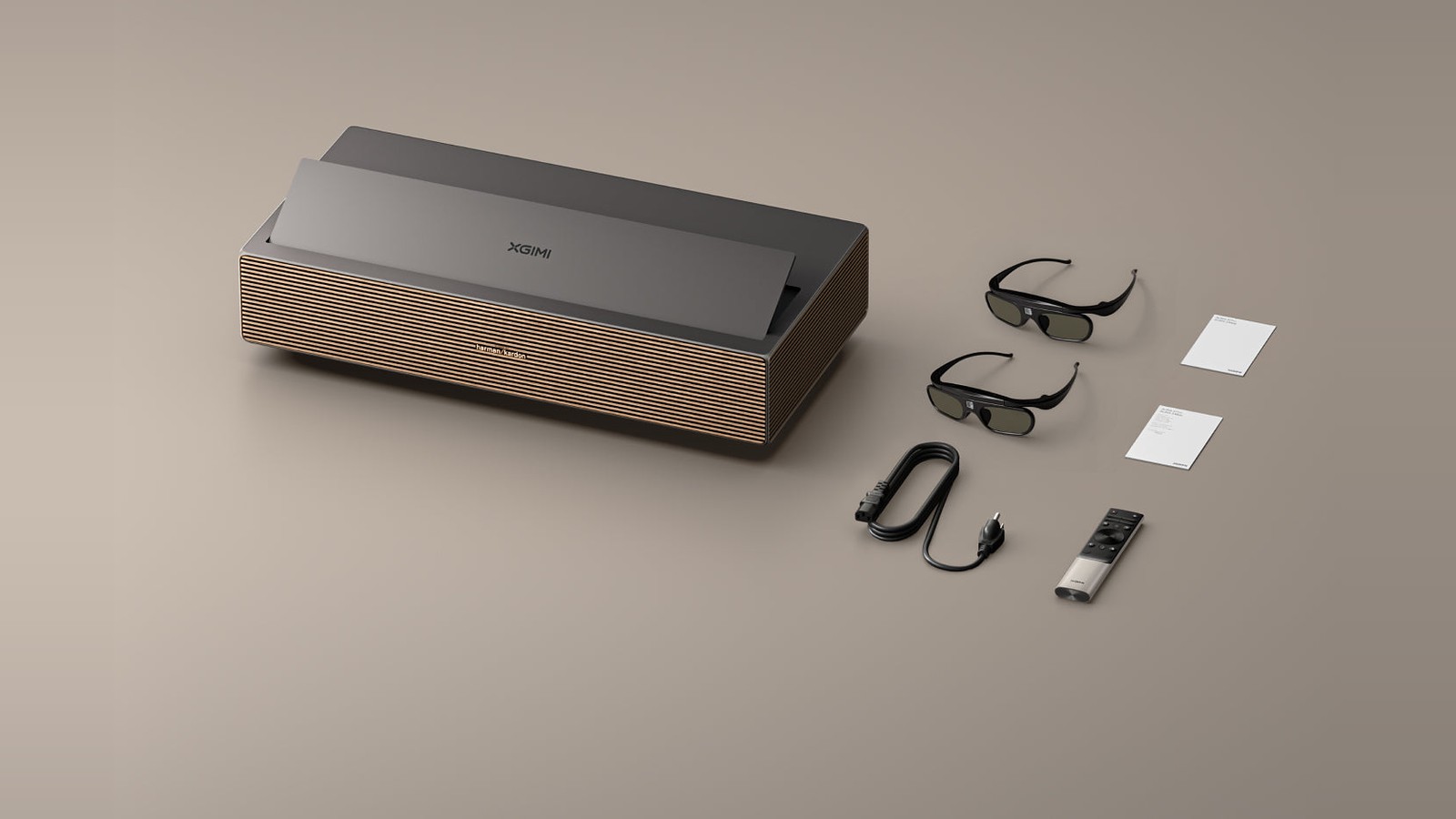
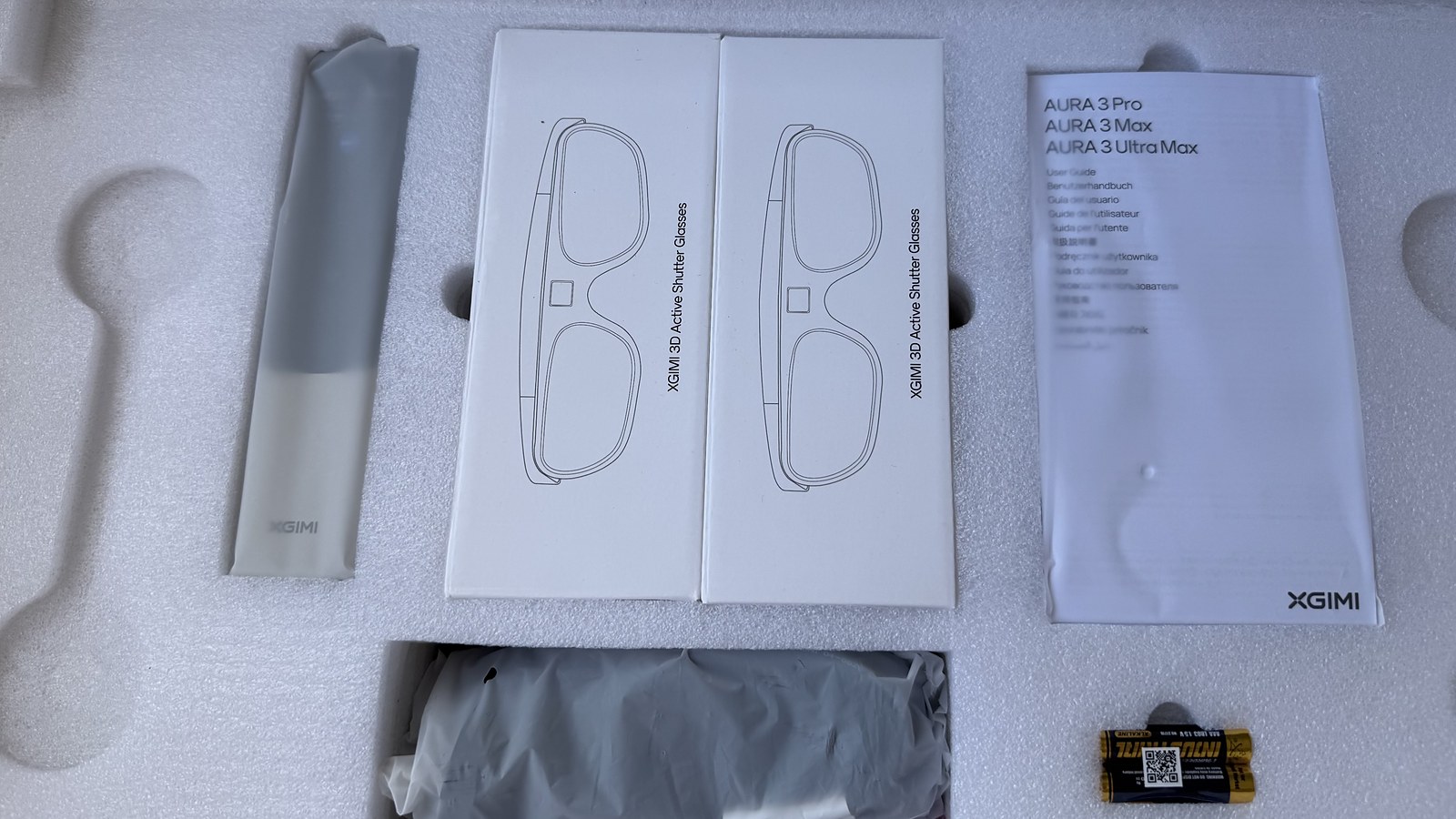
HDR is the full set: HDR10, HDR10+, HLG and Dolby Vision (not version 2.0), plus dynamic tone mapping and IMAX Enhanced, Filmmaker Mode and ISF certification. 3D works in Frame Packing, Side by Side and Top & Bottom with DLP-Link glasses, and two pairs come right in the box, which is a very welcome touch. Anti-RBE is claimed for 2D and 3D alike.
The smart side runs Google TV, and according to XGIMI the processor is a MediaTek MT9679, with 3 GB of RAM. Long-term software update support is promised. Sound is 2.0 stereo at 80 W, tuned by Harman Kardon, with Dolby Atmos and DTS Virtual:X support. There are three HDMI inputs, two of them take 4K/120 and one has eARC. Add USB 3.0, gigabit Ethernet, an optical output and a motorized lens cover. The chassis measures 588x138x295 mm, and the rated noise level is under 28 dB at one metre.
On Kickstarter it’s $2,199 with the deposit and $2,399 without, against an MSRP of $4,999. The AURA 3 Pro is $1,999 and $2,199, against an MSRP of $3,999. Shipping to backers is planned for December.
On paper this is the most ambitious UST we’ve had on test. We’re checking it point by point: brightness and contrast at every iris step, DBLE on real scenes, the optics pixel by pixel, refresh rates, input lag and 3D. Our unit runs pre-release firmware, so everything below is a snapshot of where things stand today, and some of it may change with the next updates. The review grows as testing continues; see the table of contents for the sections.
Packaging
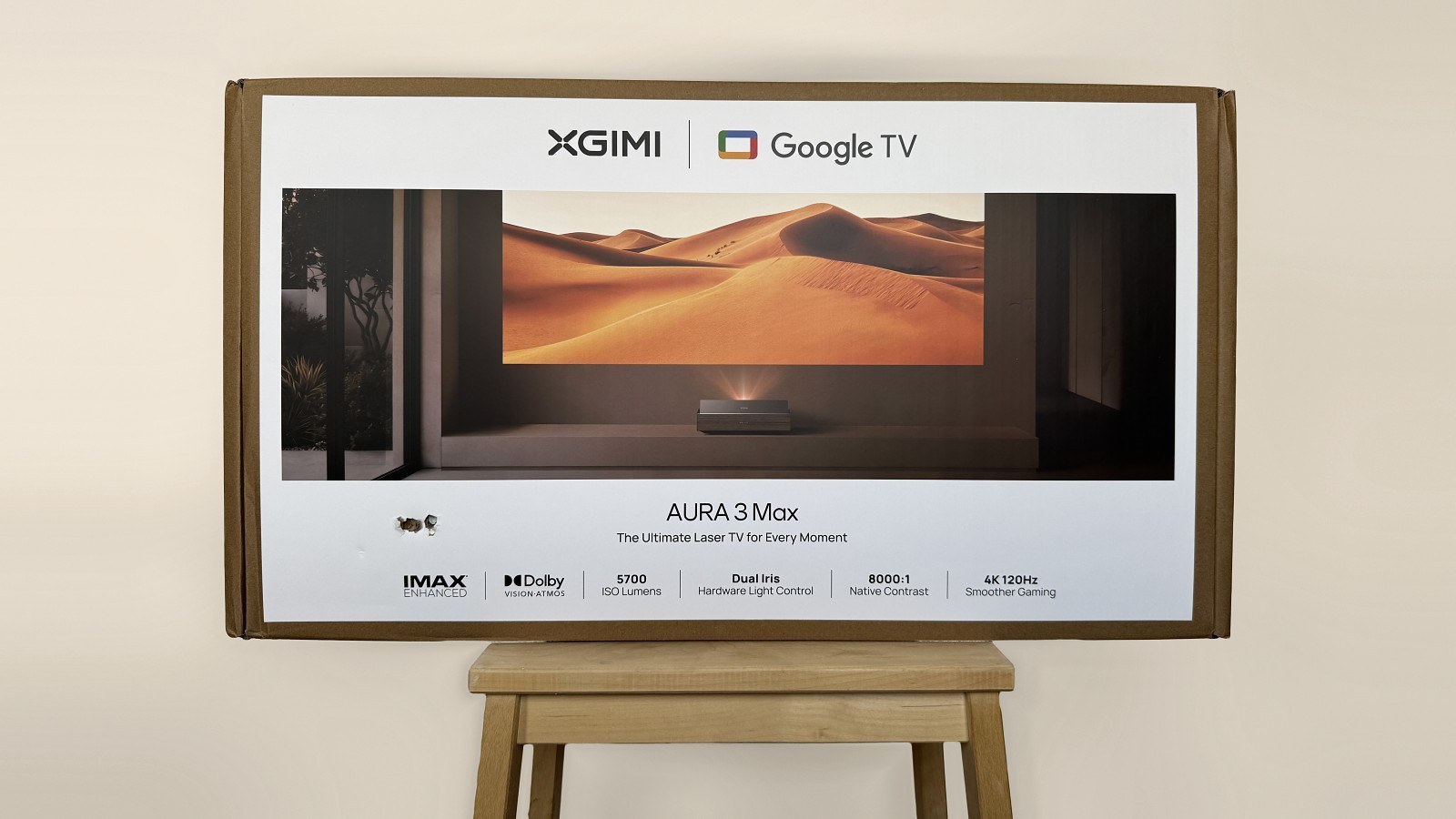
The AURA 3 Max ships in two boxes: a plain outer shipping box of 74x43x25.5 cm (29.1x16.9x10 in) and the retail box inside it, slightly smaller. That turned out to matter. Something sharp punctured the outer box in several places on the way and one corner got crushed, but the retail box inside stayed intact and the projector arrived in perfect shape. Inside, it sits under a thick layer of foam, and the box opens from the top like a chest, with a handle slot in the lid and a handle at the front.
The projector itself weighs 9.4 kg (20.7 lb) according to the official spec sheet. Unlike the Titan Noir Max, it comes without a carrying case.
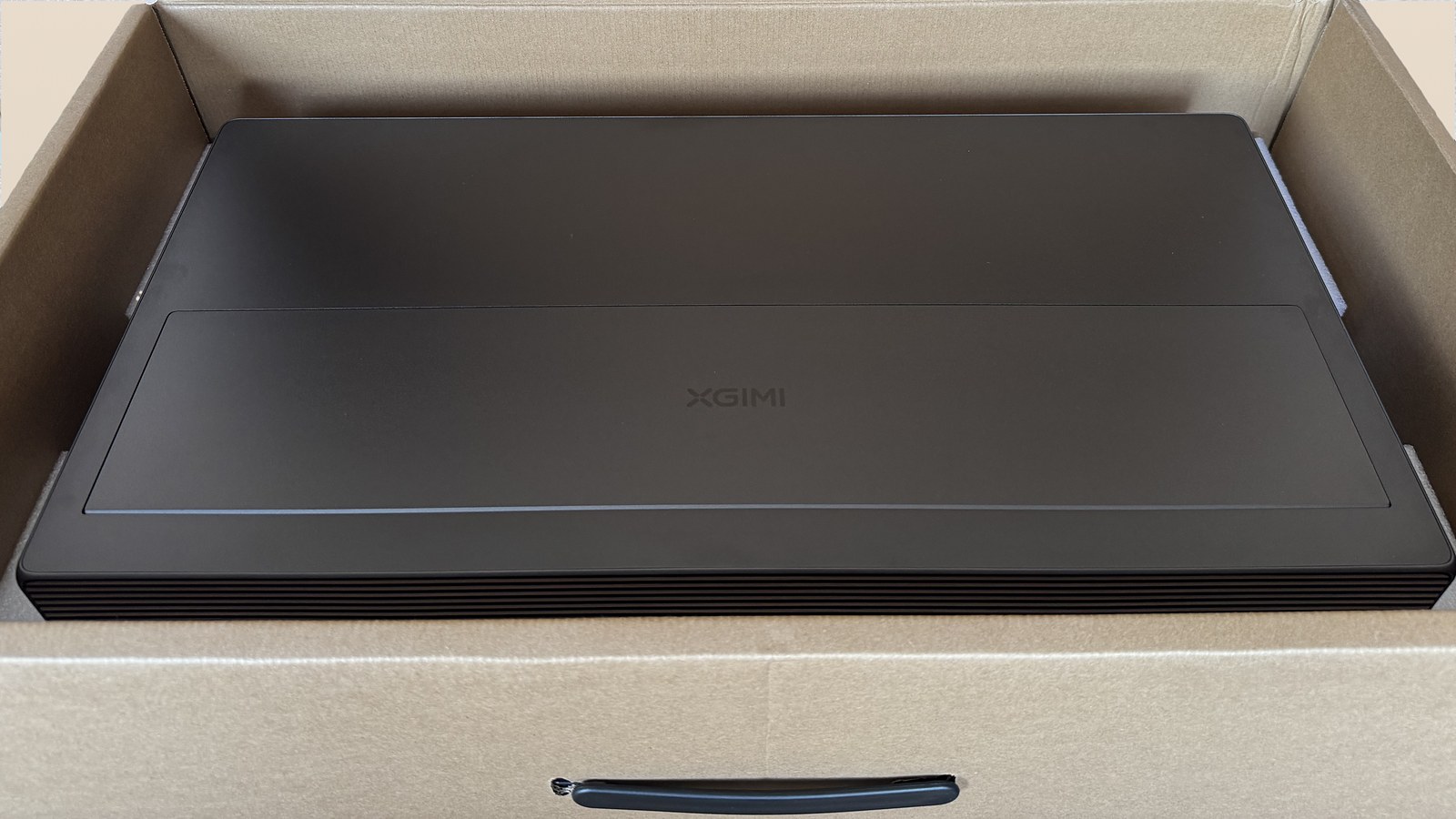
Design & Build
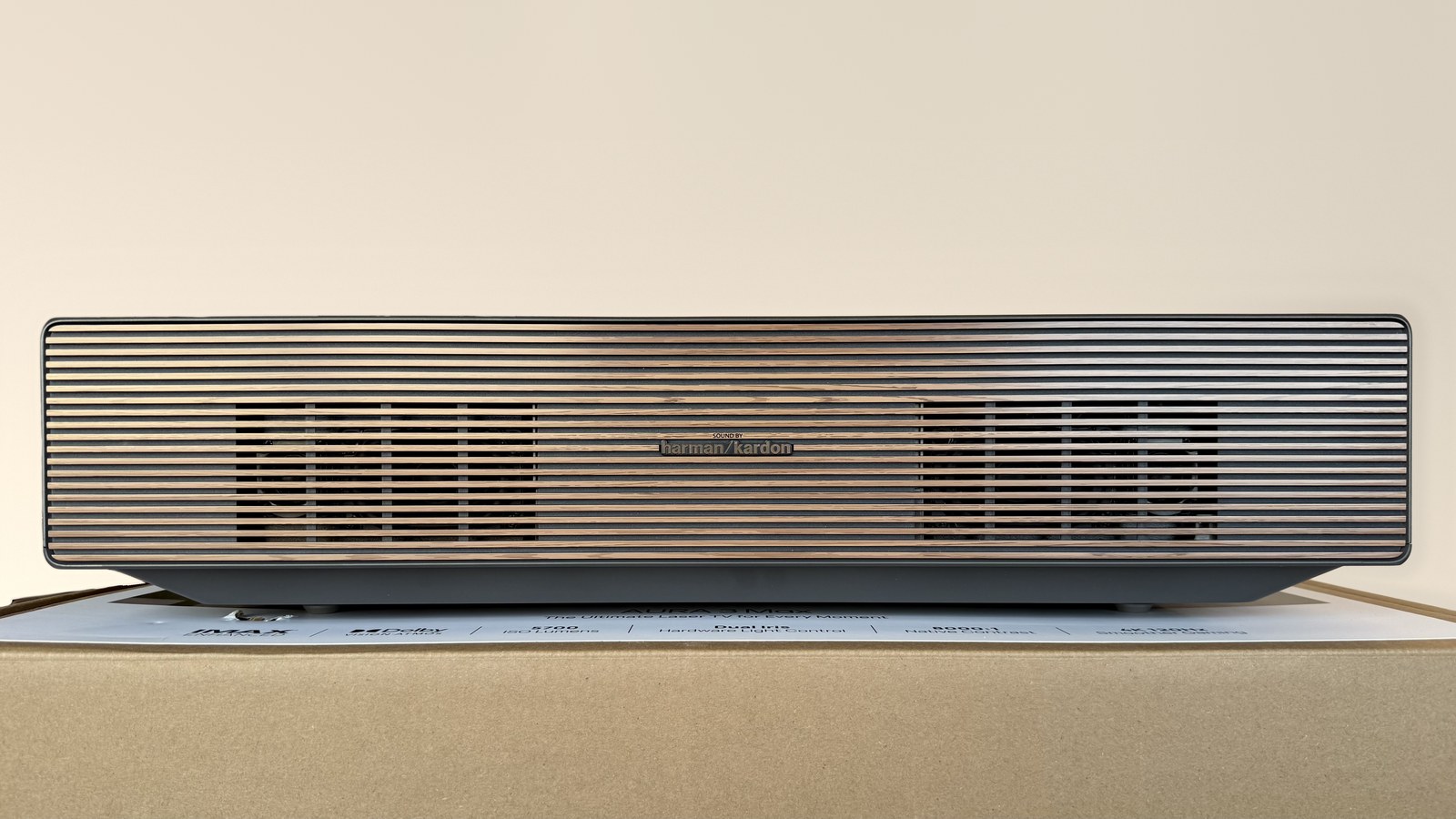
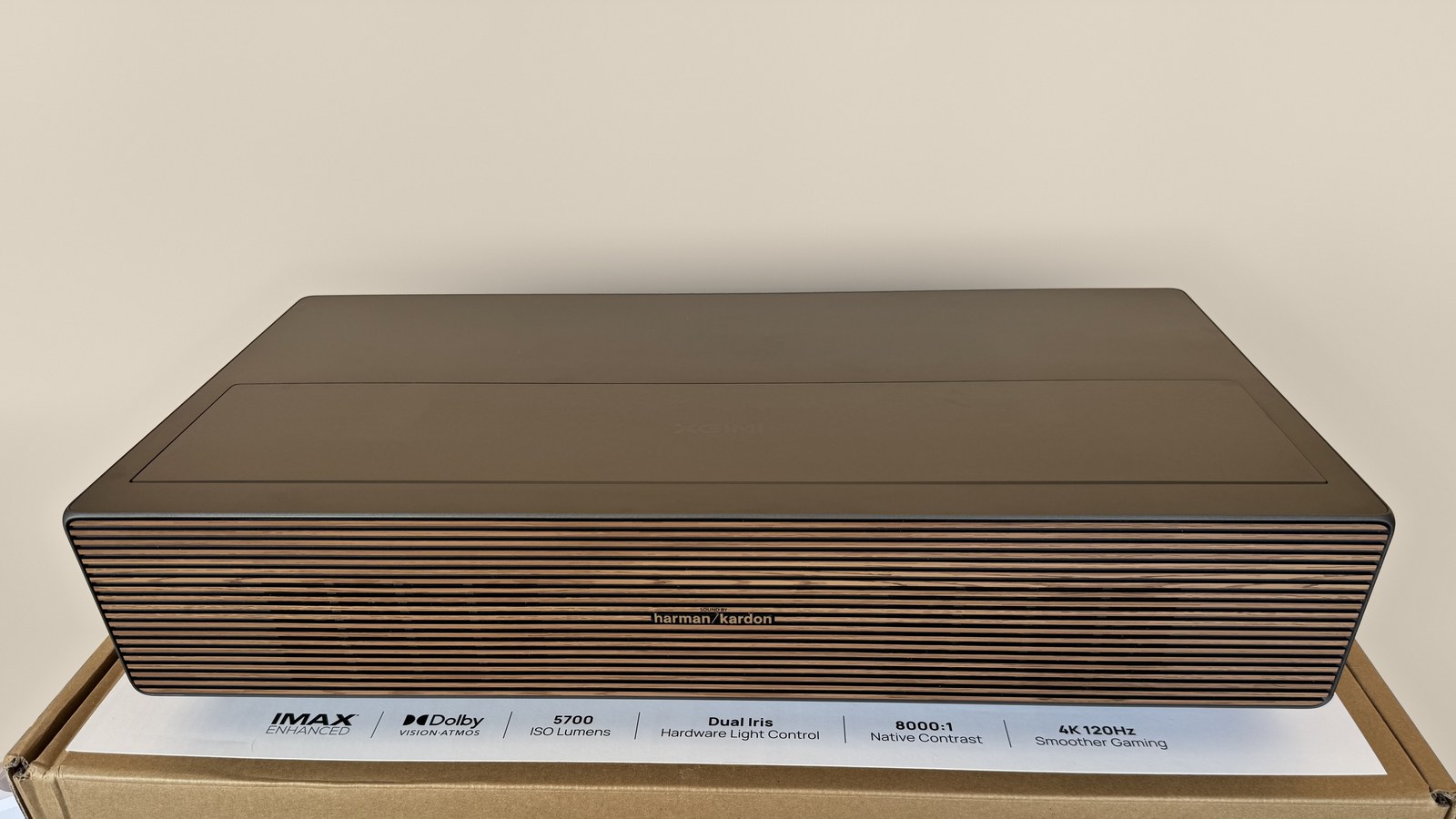
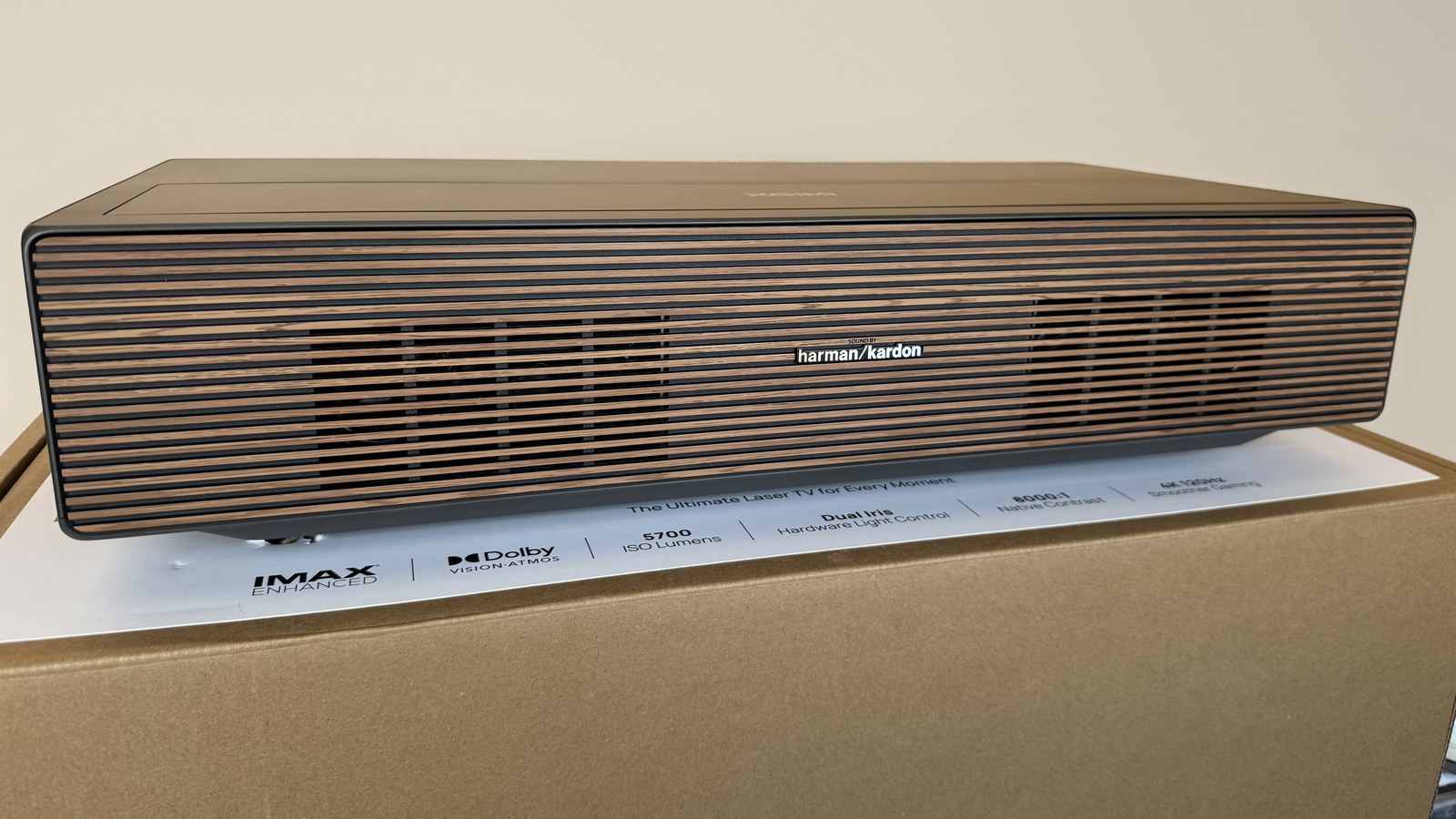
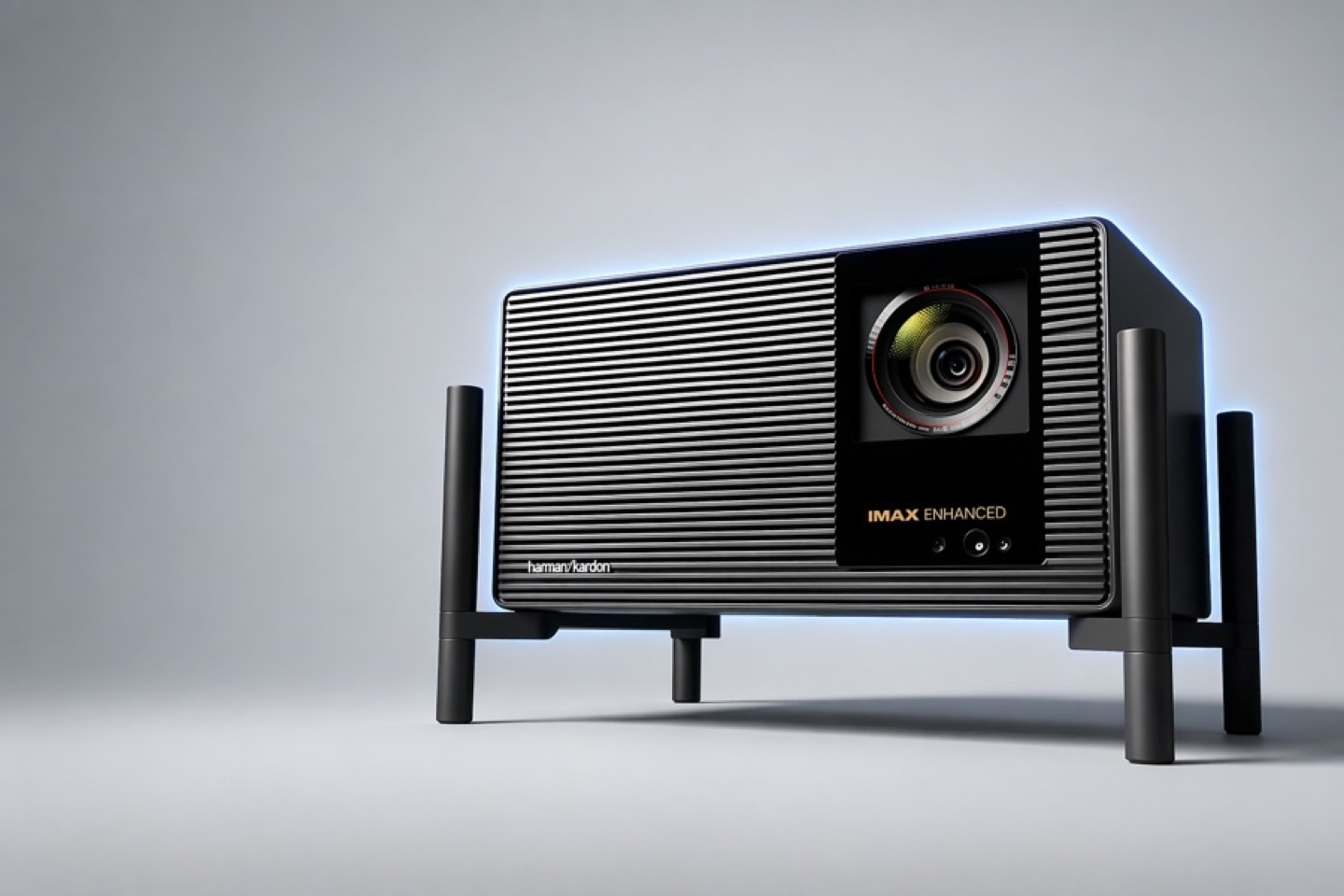
The build quality genuinely surprises me. I thought the Aetherion was well built, but the AURA 3 Max feels a step above, more premium. The top panel and the lens cover are metal, while the housing and sides are solid plastic styled to look like metal, which makes it look a lot like the Titan Noir. Across the front runs a grille with a wood-look finish that wraps around onto the sides, and behind the front part sit the Harman Kardon speakers. Their small logo sits in the middle of the grille, and the speakers themselves show through the slats on each side. The top is a flat metal panel, with the lens cover and its XGIMI logo in the front part.
The design is universal. The projector blends in on a media console and suits any room, whether it’s a living room or a dedicated home theater. It’s fairly heavy because of the massive cooling system, and the chassis itself doesn’t creak or flex. The build quality, the design and the mechanics, like the lens cover motors, are all well executed and fully match the price. For me this is one of the projector’s strong points.
All the connectors are on the back panel, with nothing on the front or sides. From left to right: the power button and power inlet, LAN, optical out, a 3.5 mm jack, two USB 2.0, one USB 3.0 and three HDMI. Only HDMI 2 and HDMI 3 take 4K at 120 Hz, and HDMI 2 also carries eARC, so a soundbar or receiver goes there. If your system has both a game console and a receiver, one of the fast inputs will go to audio. The connectors sit right at the bottom of the housing: that keeps the cables less visible, but plugging something in once the projector is already against the wall is awkward. There’s no additional DisplayPort input like the Aetherion has.
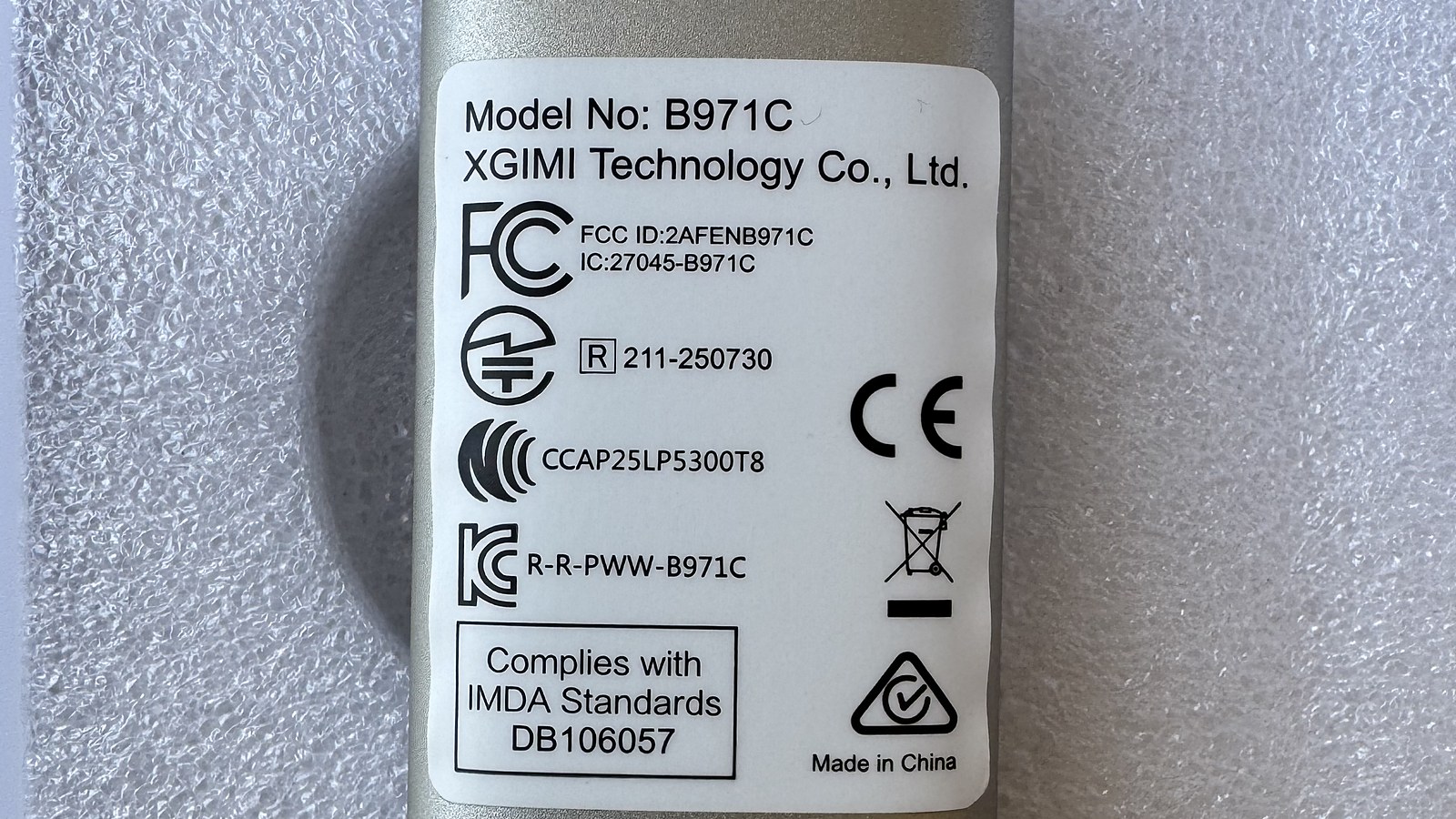
The ports sit in a single row on a narrow ledge under the rear grille, and the heatsink shows through that same grille above them. Underneath are the feet and a label with the model name and certification logos.
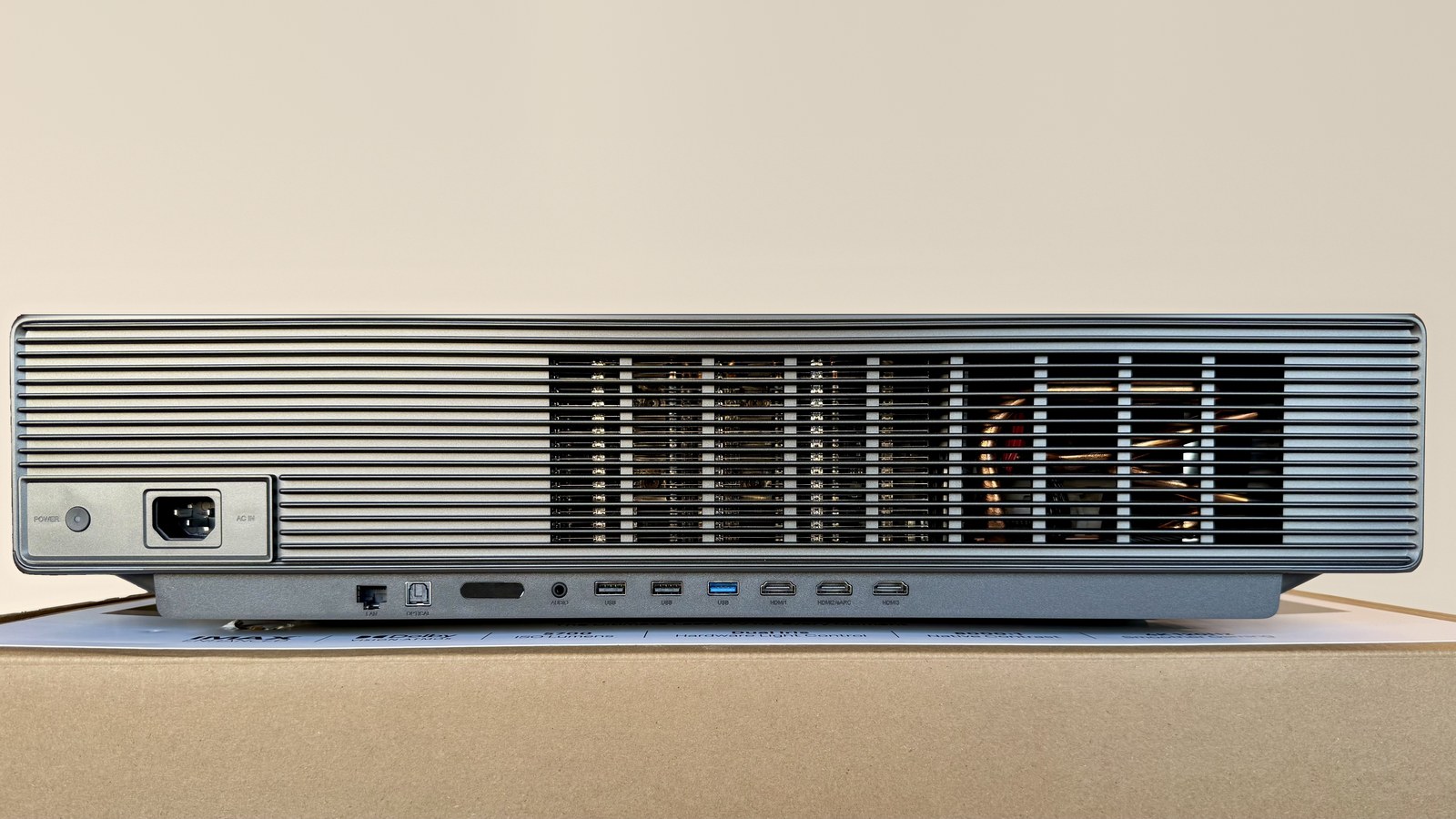
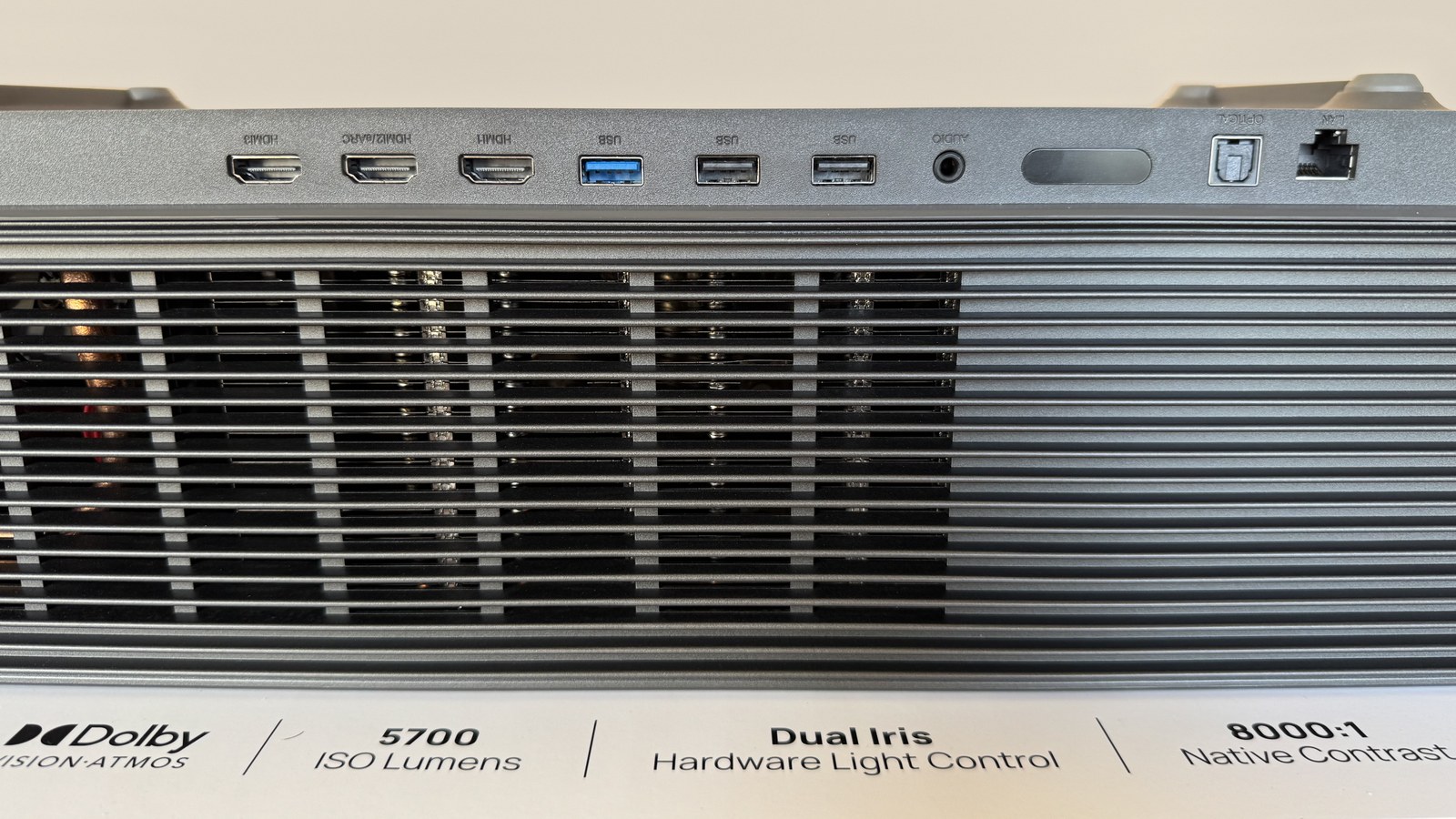
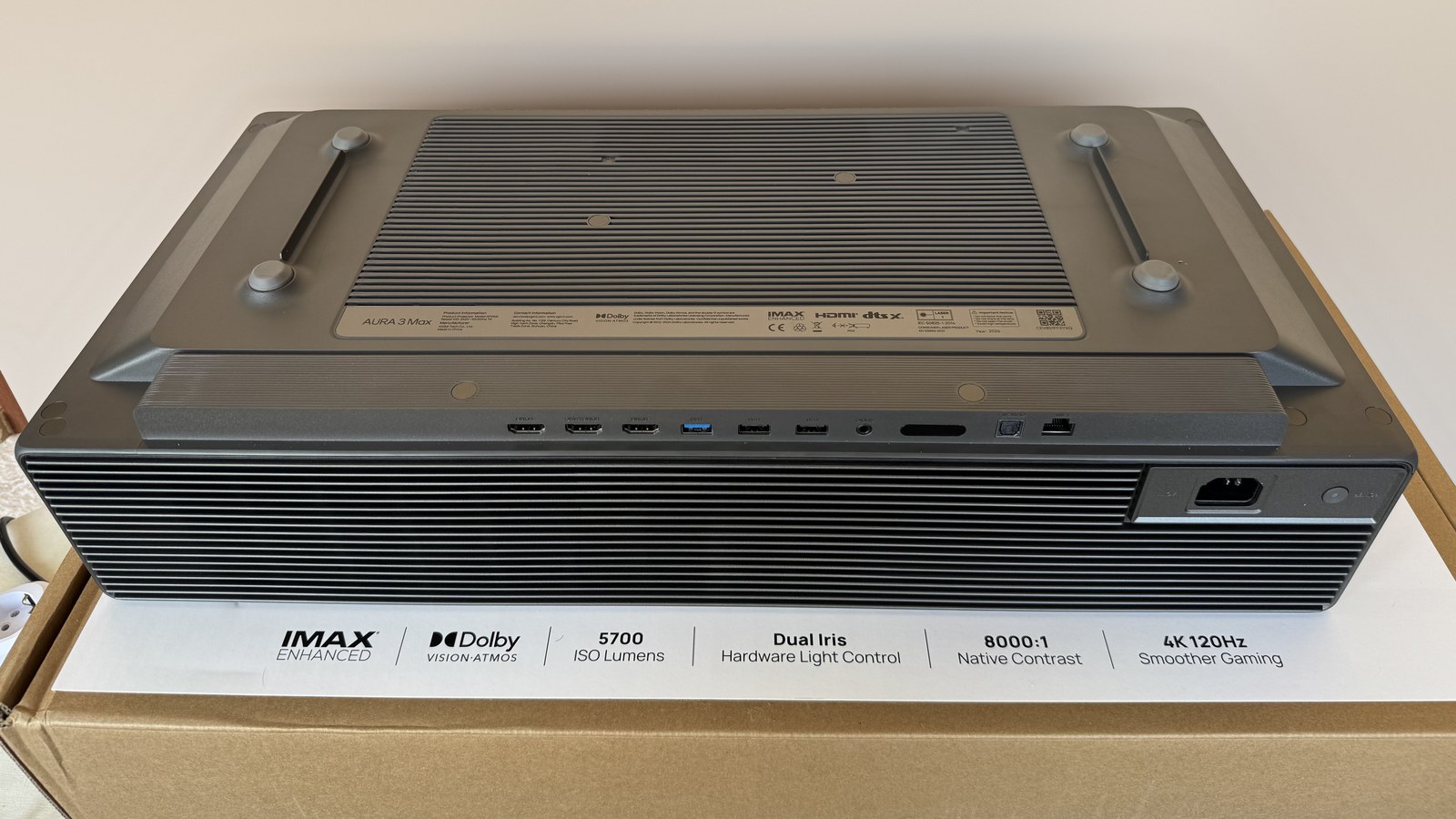
The power supply is built in. A regular power cable plugs straight into the projector, and there’s no external brick like on the Titan Noir Max. On a media console under the screen that’s a real plus: you don’t have to find room for one more hot box and hide its cables.
Airflow
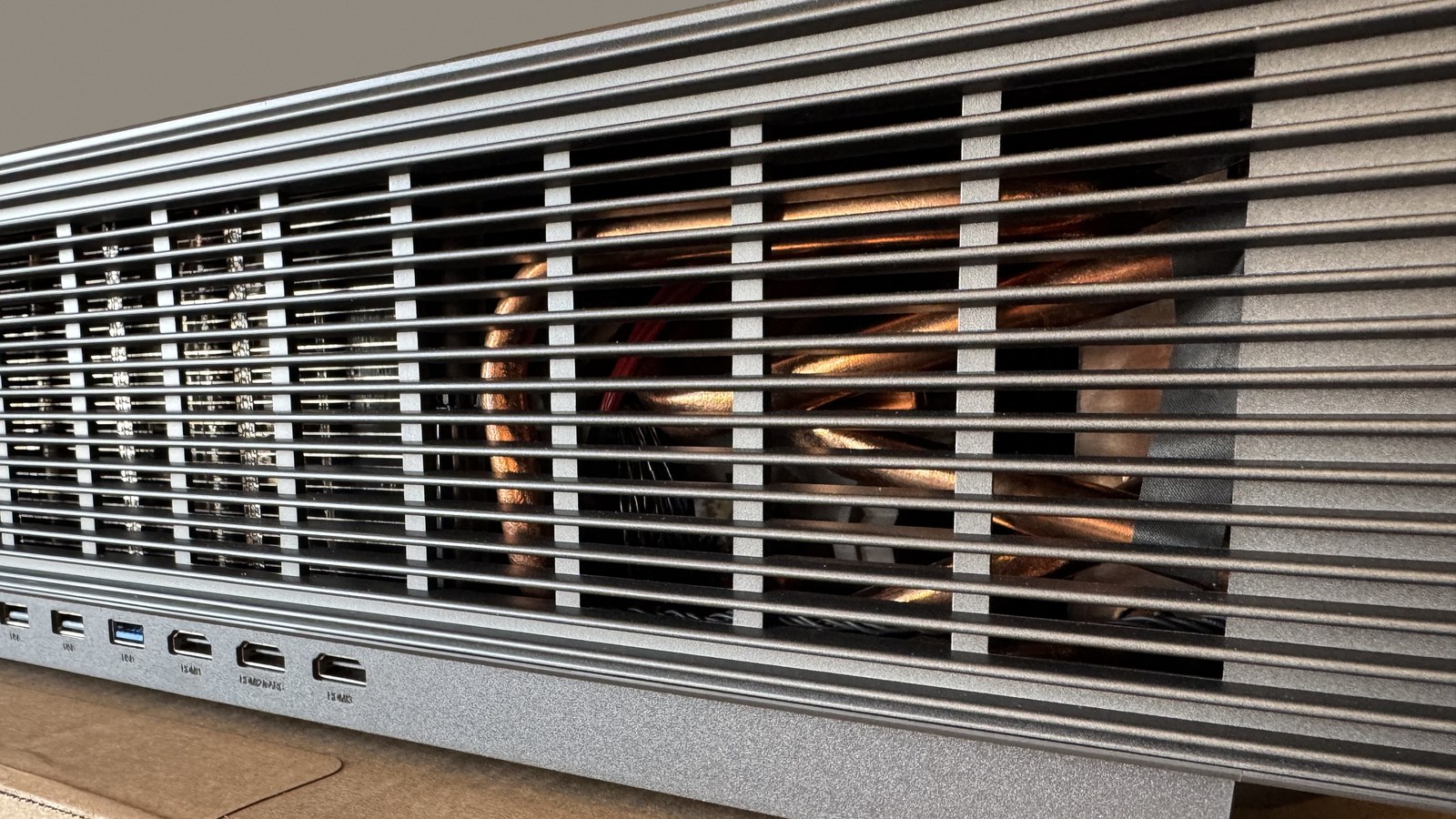
The AURA 3 Max draws air in on the right: the fans are visible behind the grille there, and the air on that side is cool. You can also feel cool air moving at the back, even though there are no fans there. What you can see through the grille instead is a massive passive cooling system: copper heat pipes and heatsink fins. Hot air leaves on the left, where it feels noticeably warm. Behind the wood-look front grille sit the speakers, a tweeter and a larger driver on each side. And near the left end of the front panel you can also feel a slight draw of cool air.
So keep the left side free, so the warm air can get away instead of building up against a wall or inside a niche. The right side needs some clearance too, and it’s best not to put other gear next to it that blows hot air straight into the projector’s intake.
Accessories & Remote
The bundle is simple: the projector, a power cable, a remote with two AAA batteries, two pairs of 3D glasses, a manual and a warranty card. The glasses come in the standard box here, while with the Aetherion they were only a gift for Kickstarter backers. There’s no HDMI cable, and 4K at 120 Hz needs an Ultra High Speed one, so budget for it. There are no covers or nice carrying cases either, but if that helped keep the price down, it’s only a good thing.
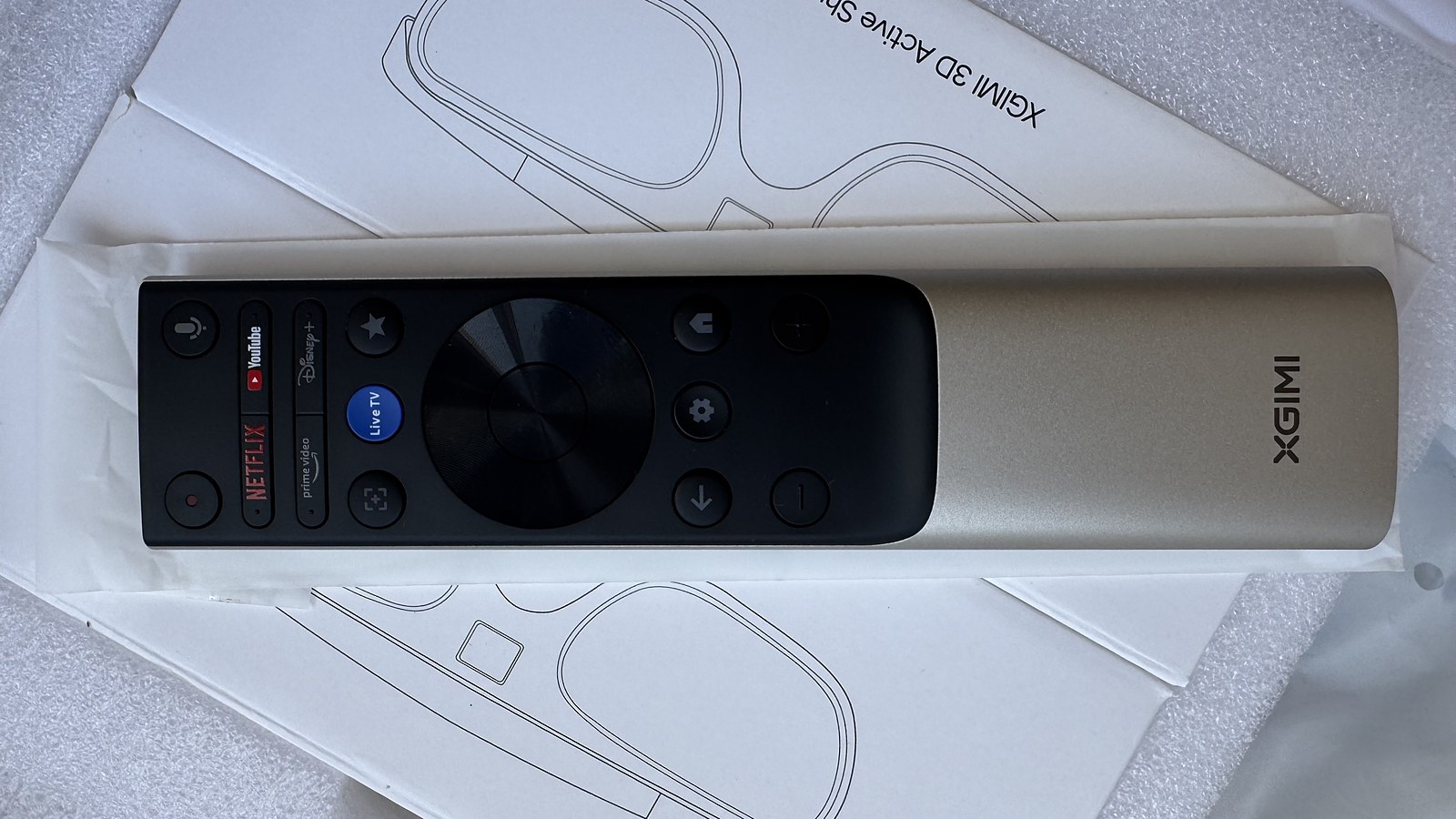
The remote is the same as the Titan Noir Max’s, one to one. The difference is the four top buttons: here they’re shortcut buttons for YouTube, Netflix, Prime Video and Disney+, a nod to Google TV. On the Titan that spot has customizable buttons you can assign your own functions to, and I miss them on the AURA. The backlight, as on the Titan, is only partial: only the main buttons light up.
Placement & Throw Distance
The AURA 3 Max stands very close to the wall, even by UST standards. XGIMI rates the throw ratio at 0.163:1, and according to its installation table the back of the chassis sits only 20.3 cm (8 in) from the wall for a 120-inch image. With the 28.5 cm (11.2 in) chassis depth, that’s 48.8 cm (19.2 in) from the wall to the front edge. For 100 inches you need just 41.3 cm (16.3 in), while 150 inches already takes 60 cm (23.6 in). For comparison, the Aetherion needs 56.2 cm (22.1 in) for 120 inches, so at the same size the AURA takes up about 7 cm (3 in) less space in the room.
The bottom edge of the image sits 35 cm (13.8 in) above the surface the projector stands on at 100 inches. At 120 it’s already 40.4 cm (15.9 in), and for 150 you’ll have to allow 48.4 cm (19.1 in). Add the height of your stand and you’ll know where the bottom of the picture actually ends up.
XGIMI’s table covers 100 to 150 inches and comes with a tolerance of 2 to 3 cm (about 1 in). The calculator below extrapolates the missing sizes and extends the range from 80 to 200 inches, so those sizes are marked as an estimate. Pick your screen size, aspect ratio and shelf height. The same calculator for other projectors is on the tools page.
Lining up a UST is a special kind of fun. You have to move the projector in every plane, ideally with a spirit level in hand. The AURA 3 Max has adjustable feet, but they aren’t convenient: they sit deep under the chassis, hard to reach, and the projector keeps sliding out of place while you turn them. The stand has to be rigid, too: with 9.4 kg (20.7 lb) on the feet, a thin tabletop can bend slightly, and the geometry drifts after you’ve finished setting up.
There’s no lens shift, and that’s not a complaint aimed at the AURA 3 Max specifically. Almost no home UST has it, because the geometry is highly off-axis and moving the lens without wrecking convergence at the edges is really hard. The only notable exception is the upcoming high-end LuxVision from AWOL, shown at IFA in fall 2026, and even there the vertical shift is very limited. The AURA 3 Max can only be lined up by placing it correctly.
For setup, XGIMI lists auto keystone correction, wall color adaptation, screen alignment assist and autofocus. XGIMI even built a dedicated app to help with the setup. On any UST, though, digital keystone correction costs sharpness, so I’d use it only to find the right spot, then align the projector by moving the chassis and set the correction back to zero.
Such a short throw has its downsides too. The closer the projector sits to the wall, the steeper the angle at which the light hits the screen, and the more any unevenness of the screen surface shows up in the picture. A fixed-frame screen matters more for the AURA 3 than for USTs with a longer throw.
The lens cover lifts upward instead of sliding forward like the Aetherion’s. That puts some limits on installing the projector in a pull-out shelf or a recess: if there’s little room above it, the cover has nowhere to go. The cover itself is almost silent and well made: it’s metal, like the top panel, and it inspires confidence. It hides both the large glass lens and the two sensors, which also sit behind glass. The lens sits in the middle, with a sensor on each side.
For the clearances around the body, see Airflow.
Menu Tour
This is what the main settings menu looks like. Overall it’s standard for Google TV projectors, but a special thanks for not hiding the iris settings somewhere deep in the menu. All the settings you need sit close together, so you don’t have to hunt through the whole menu to change them.
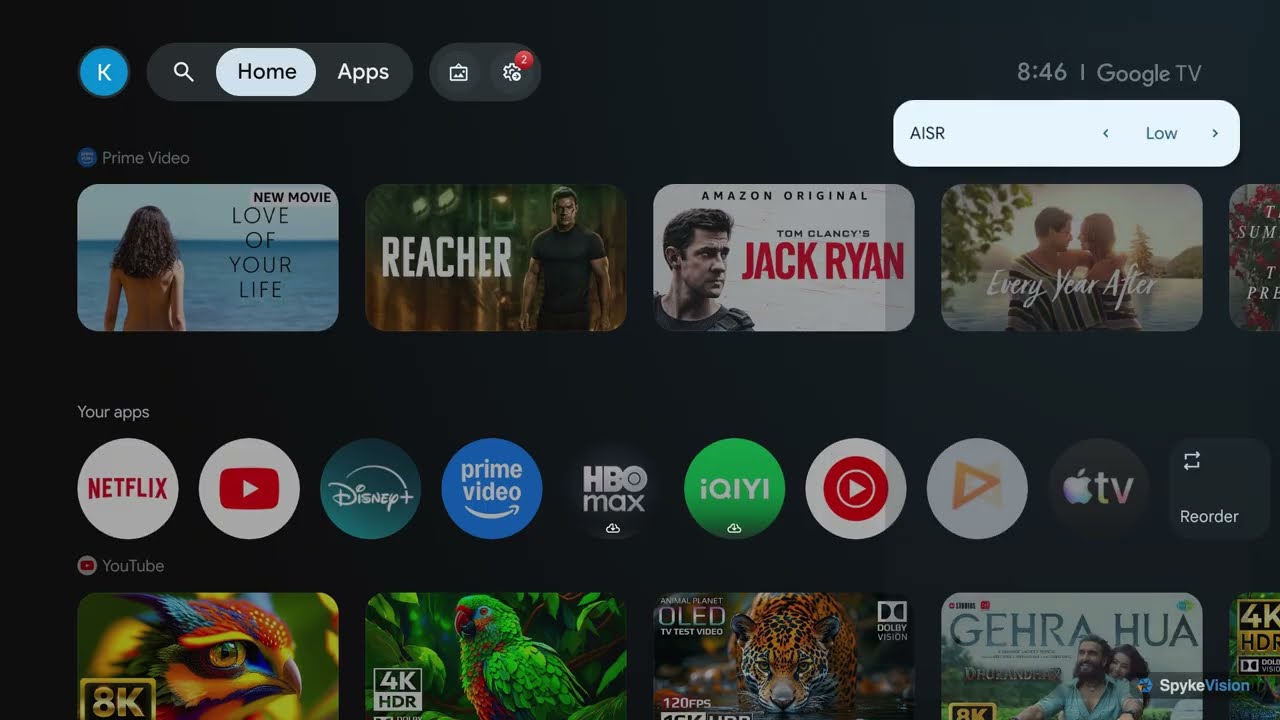

Update: the new firmware 0.6.238 added a menu item for adjusting the colour shift of DBLE (Dynamic Black Level Enhancement): Dynamic black level correction, with a single Correction factor slider. It only shows up when DBLE is on. The Titan Noir Max has the same control.
Lens, Sharpness & Optical Resolution
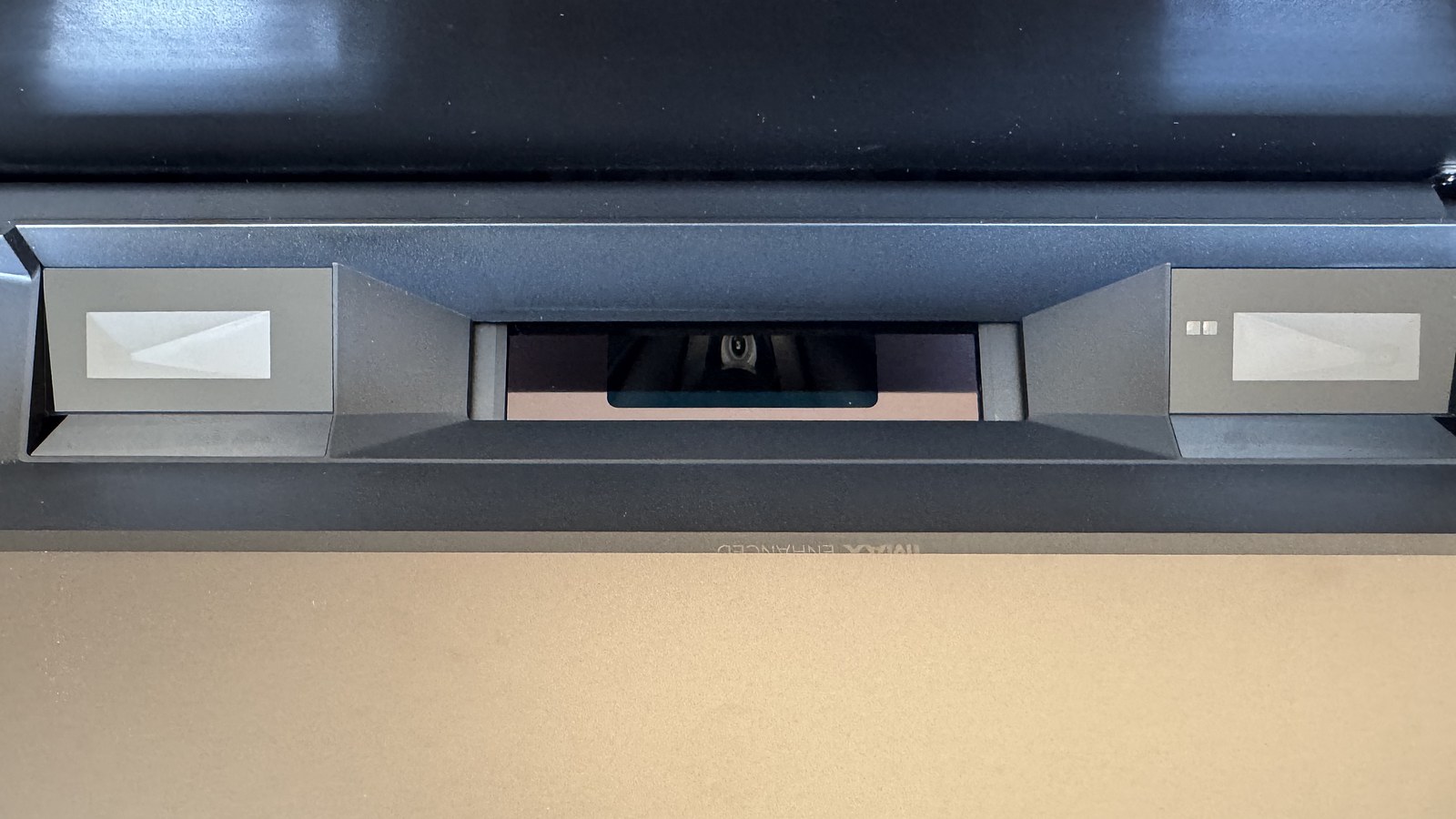
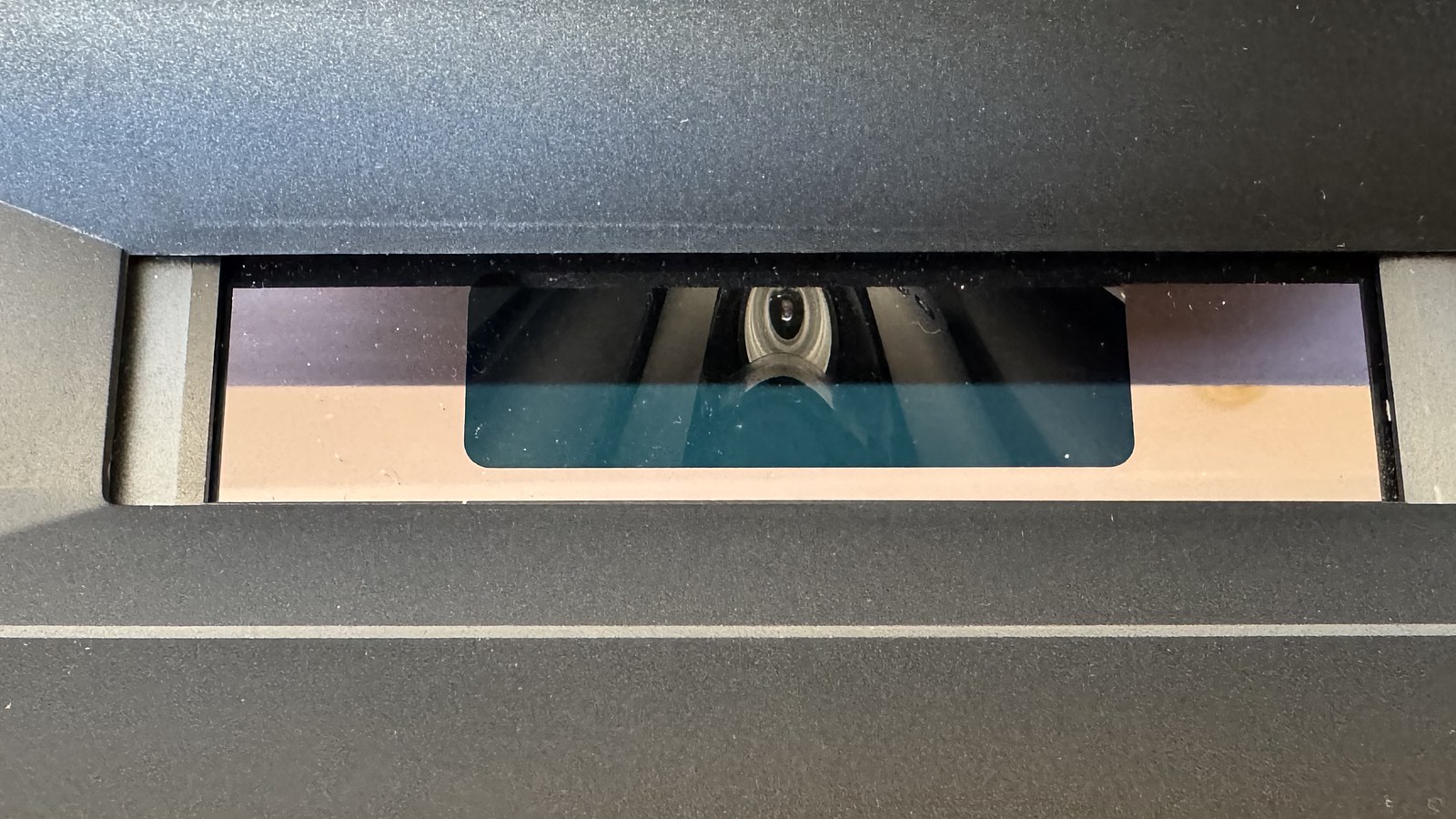
The AURA 3 Max lens really does look impressive: the large protective glass and the big aperture catch your eye right away, with a large sensor on each side, also tucked behind glass. Just above it is a small IMAX Enhanced label, visible only when the lens cover is open.
Let’s start with the good part: in resolving power the AURA 3 Max gets close to the long-throw Titan Noir Max. The AURA 3 optics are still a little softer than the Titan’s, but for a UST this is the best we’ve had on test. It’s the first UST that holds its own against many long-throw projectors here, and XGIMI’s engineers fully deserve the credit for it. These optics will also prove themselves later, in the contrast measurements section.
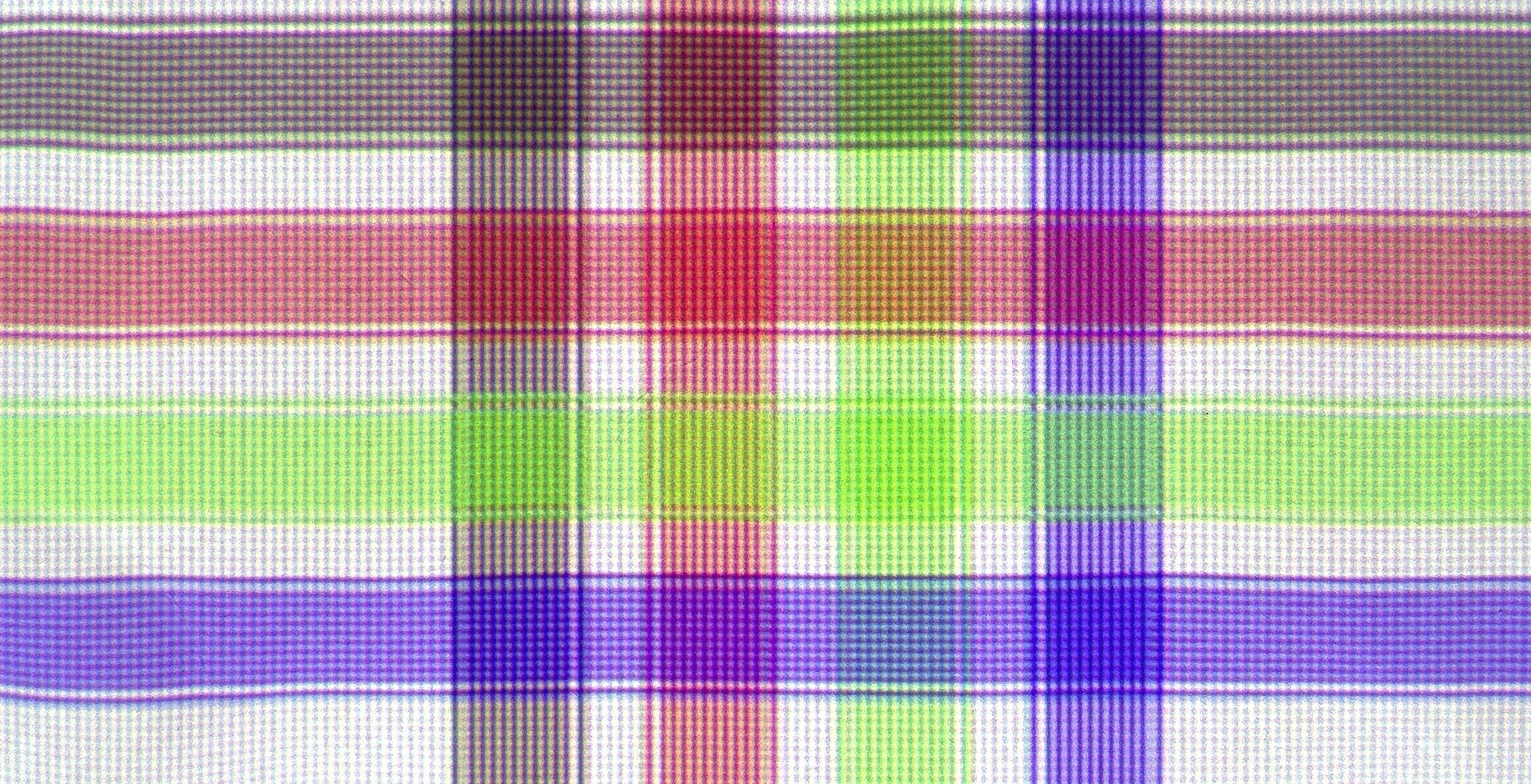
I want to give separate credit for something the AURA doesn’t do: scale. A 4K signal reaches the screen 1:1, and 1080p with pixel shift on is stretched by plain doubling, so each pixel becomes an even 2x2 block. On fine-line gratings there are none of the wide recalculation bands that PixelLock left on the Aetherion. Gamers will appreciate this most: less processing between the source and the screen, and more detail survives.
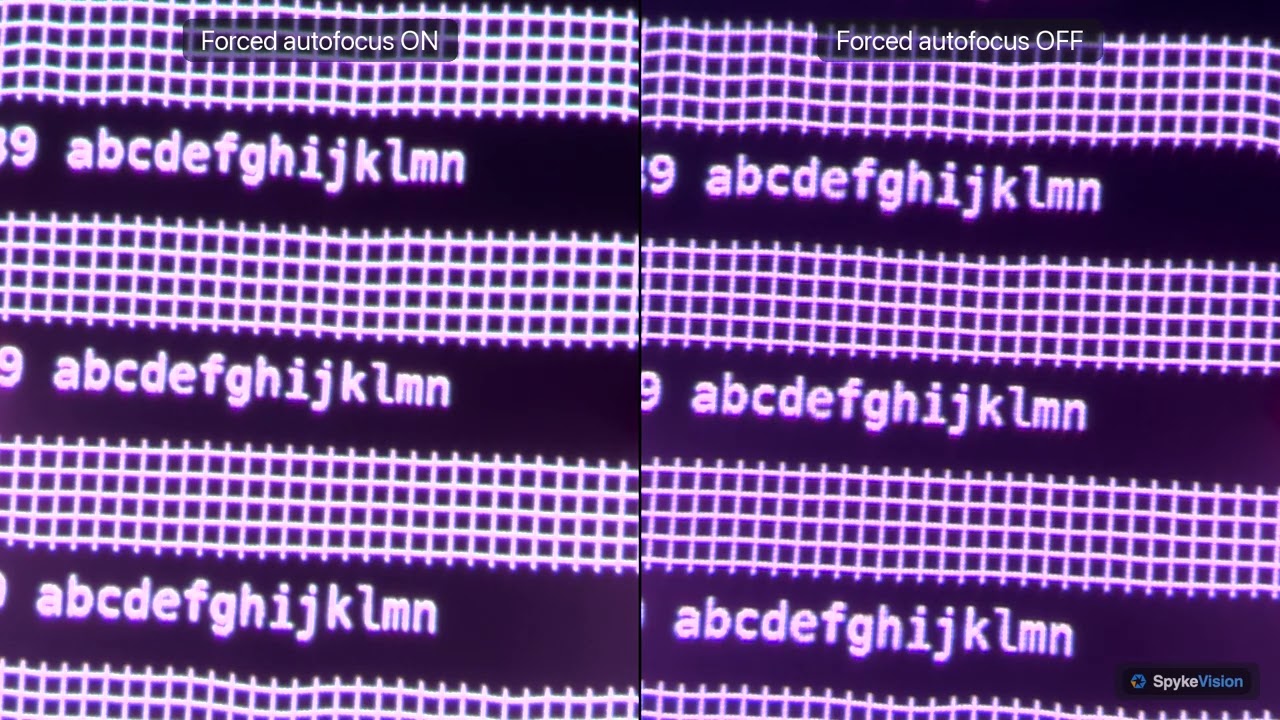
Focus drifts a little as the temperature changes. For most people that’s not a problem, especially since the projector corrects it on its own. How it does that is another matter.
Auto focus on scene changes. This is the one feature here I’d argue with. The projector tracks the brightness of the picture roughly every 0.25 s and adjusts focus to match. When a dark scene cuts to a bright one, the focus visibly drifts and takes a few seconds to settle, and it happens in ordinary films, not just on test patterns. Some correction for warm-up is needed, but it would make more sense to tie it to a timer and the first bright scene. If the bright scene lasts long enough for the adjustment to finish, the timer resets. If it doesn’t, the focus goes back and the projector tries again on the next bright scene. Better still, leave the choice to the user with a separate switch for this feature in the menu. I hope XGIMI takes this seriously.
Show example
White Field Uniformity
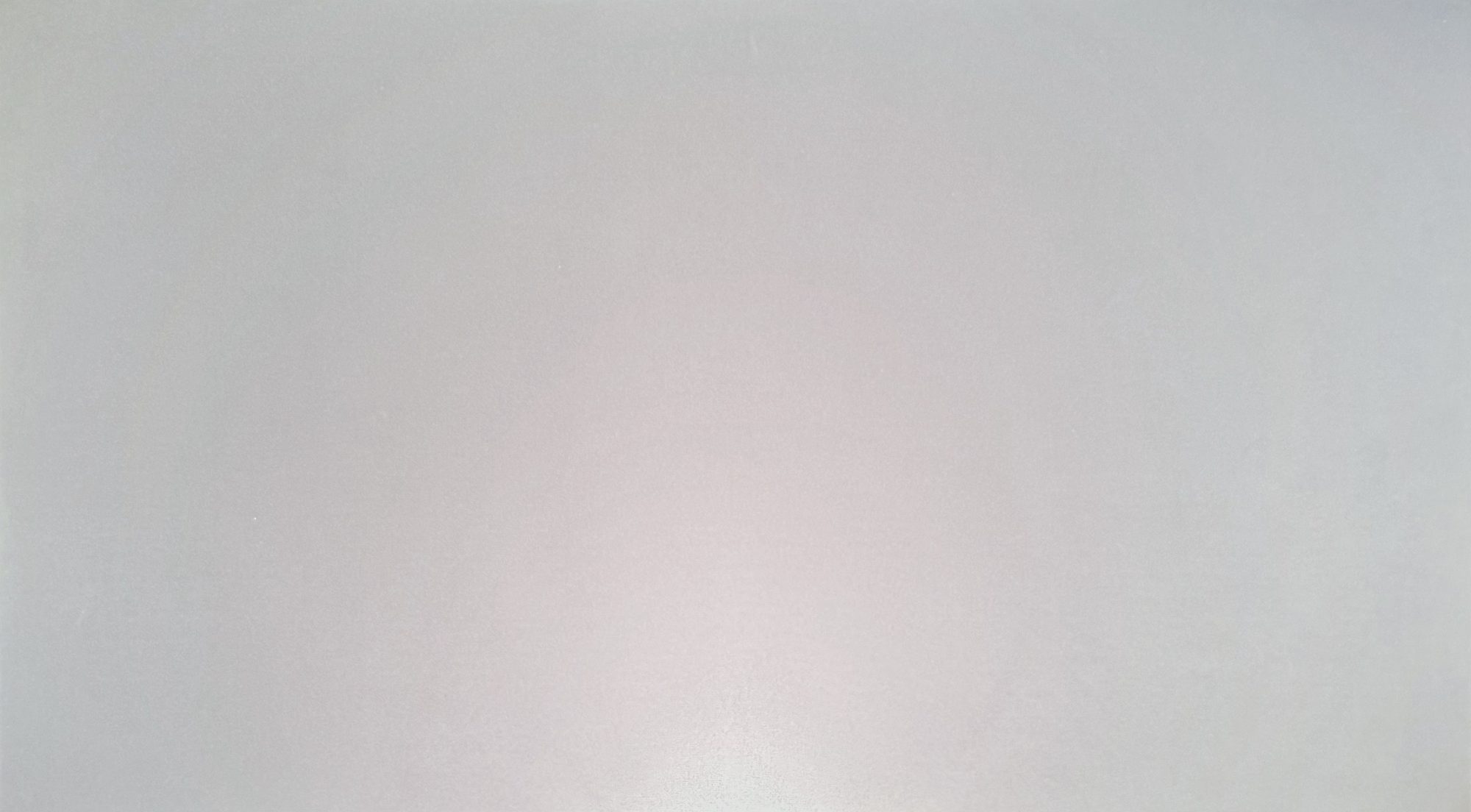
With the iris fully open, the AURA 3 Max is close to ideal here. A full white field is almost perfectly even in colour: there’s a very faint green tint along the top and in the corners, and the bright patch in the lower center that the Aetherion shows is barely there. Brightness falls off gently toward the edges without a visible hotspot.
That’s the best white uniformity I’ve seen on a UST so far. White document backgrounds, light menus and snowy scenes stay clean, so there’s nothing here that a uniformity calibration would need to fix.
Laser Speckle
The AURA 3 Max managed to surprise me here too. Among the triple-laser projectors we’ve tested, I’d never noticed much difference in speckle, other than it becoming much more visible as brightness goes up. Here, though, speckle is visibly lower than on the Aetherion and the Titan Noir Max. The same goes for metamerism, when one colour looks slightly different to different people.
The reason is in the spectrum. The Hook Up measured it with a JETI spectrometer: the AURA’s green channel has two separate peaks, around 524 and 531-533 nm, while the Aetherion has one narrow cluster. A dual-wavelength green cuts speckle at the laser itself, and green is the colour the eye is most sensitive to. The usual price for a wider spectrum is colour gamut, but it didn’t come to that here: the AURA doesn’t fall behind other triple-laser projectors in this respect and, if anything, sits toward the top of the range.
The screen still plays a big role in how much speckle you see, but of all the triple-laser projectors we’ve seen, this is the first clear step forward. For something radically better on speckle you’d have to look at ALPD (laser and phosphor) and LED projectors.
XPR-Shift
The AURA 3 Max builds 4K the same way as other UST projectors on a 0.47-inch chip: with XPR-Shift. The DMD has 1920x1080 micromirrors, and the shift moves the whole picture by half a mirror into four positions, which adds up to 3840x2160 on screen. With one controller, 4K/60 needs four phases per frame, and 4 x 60 gives the usual 240 Hz. That’s what the Titan Noir Max runs, even with its SST chip and new controller. The Aetherion was the exception: it runs the four-phase cycle twice per frame, about 480 Hz, but its input still tops out at 4K/60, and a 4K/120 signal comes out as 60 frames.
XPR-Shift in the AURA 3 Max also runs at 480 Hz, but it spends that speed on new frames instead of repeats. Its two controllers share the work, so it shows 4K at 120 frames per second, and each frame gets one full cycle: 4 x 120 = 480 Hz. The shift is as fast as on the Aetherion, and the frame rate is twice as high.
Films at 24 fps and video at 60 fps are shown at 120 Hz with repeated frames (see Frame Rates & Cadence), so the shift runs at the same 480 Hz there too. It switches off in only one mode: 1080p/240 with Super Frame on. Then the chip shows its native 1080p and all 240 frames reach the screen. With Super Frame off the shift keeps running at 1080p/240 and lets only 120 frames through, more on that in 1080p at 240 Hz.
On the Aetherion the faster shift kept the picture together better in motion and made the pixel grid less visible. The AURA 3 Max is very similar in this respect: the screen-door effect (SDE, a visible pixel grid) is noticeably weaker than on the Titan Noir, and the higher frame rate helps with motion, but the motion processing itself is still better on the Aetherion. That said, this is only pre-release firmware, and the step forward is already noticeable.
Brightness & Contrast Measurements
Power Consumption
I measured power with a wall meter on a 100% white field, after at least 30 minutes of warm-up. In standby the AURA 3 Max uses only about 2 W. Right after you plug it in, it pulls 29–30 W for a few seconds, then drops back to the usual 2 W.
The Light Output ladder is smooth in both modes I measured. In Standard it runs from 93.7 W at level 1 to 212 W at level 10, each step adding 10 to 17 W. In Vivid, where cyan and yellow segments are added to the main RGB colours, it starts at 109.3 W and ends at 268 W, with steps of 12 to 26 W. The gap between the two grows toward the top: 15 W at level 1 and 56 W at level 10. The biggest step in Vivid is the last one: from 9 to 10 the draw jumps by 26 W. On the Aetherion the top steps gave less light per watt than the lower ones, and the Vivid ladder here has a similar shape.
Colour temperature matters too. In Standard mode, the Standard colour temperature reads 208–218 W, D65 213–216 W and Movie 206–208 W. The biggest jump is again in Vivid: 259–260 W with Balanced, 252 W with Movie and 249.5 W with D65. Overall, at Light Output 10 Vivid draws 40 to 55 W more than Standard.
High Power mode, with its green-tinted white balance, is there to hit the rated brightness. It draws 247–250 W, but the fans spin up almost to full and the projector gets very loud. Part of that power goes into cooling, by my estimate 10 to 15 W, so the laser itself runs even lower than in Vivid.
Game mode doesn’t touch the laser: at Light Output 10 it draws 212 W with the Standard colour temperature, the same as Standard mode, 213 W with D65 and 206 W with Movie. That’s a welcome difference from the Aetherion, where PC/Game mode caps the laser at level 8.
With anti-RBE on, the draw goes down a little. In Standard it drops from 203–211 W to 198–200 W, about 9 W less, and in Vivid from 252–257 W to 238 W, 13 to 19 W less.
On a white field the Dynamic iris draws a bit more than the fully open f/2.0, in both modes: 216.5 W against 214–215.5 W in Standard and 273 W against 258 W in Vivid. It looks like the projector drives the laser a little harder in Dynamic.
In Standard, from f/2.0 to f/4.0 the iris doesn’t change the draw at all: 213–215.5 W. At f/5.0 it drops to 198 W and at f/7.0 to 192–194 W. With the iris closed that far, the projector turns the laser down on its own, by 16 to 22 W, just like the Aetherion at M7. Vivid does exactly the same: 258–264.5 W from f/2.0 to f/4.0, then 249.5 W at f/5.0 and 242 W at f/7.0. So the power cut is tied to the iris position, not to the picture mode or its colour temperature.
Bottom line: the lowest draw comes from Standard or Game with the Movie or D65 colour temperature and DBLE on: about 206–216 W on bright scenes and far less on dark ones. Each step down saves another 10 to 17 W. Vivid draws 40 to 55 W more, and High Power only makes sense if you’re chasing record brightness numbers.
DBLE (Dynamic Black Level Enhancement)
Anti-RBE
Anti-RBE speeds up the colour cycle: the more often the colours alternate, the harder it is for the eye to see them separately, and the weaker the rainbows on high-contrast edges. The chart shows colour changes per 1/60 s, and the colour-wheel equivalent lets you compare it with other projectors. Here XGIMI’s two controllers already make a clear difference: even with anti-RBE off, the cycle is already doubled to 8x at baseline. For comparison, the Aetherion only gets there with anti-RBE on.
Why does the number of flashes matter so much? A DLP chip can’t show red, green and blue at the same time. It shows them one after another, fast enough for the eye to blend them into a single colour. While your gaze stays still, everything looks fine. But when your gaze moves across a bright edge, or the edge moves on screen, each colour lands in a slightly different place, and a white object picks up coloured fringes. The shorter each colour stays on screen, the closer together the colours land and the less rainbow you see.
The colour-wheel equivalent comes from lamp DLP projectors, which had a spinning wheel with colour segments. A 4x wheel shows red, green and blue four times each per 1/60 s, which makes 12 colour changes. Lasers have no wheel, but the count works the same way.
With anti-RBE on, the AURA 3 Max reaches 16x. That’s the most effective anti-RBE I’ve seen so far, and it also noticeably reduces rolling buffer artifacts. It works in Vivid too, where the colour sequence is RGBCY (with cyan and yellow segments), and at 1080p/240 with Super Frame and VRR off. At 4K/24, 4K/60, 4K/120 and 1080p/120 it works as well, VRR included.
Vivid shows up on the chart at 21.3x, more than Standard with anti-RBE, and that number needs explaining. Vivid uses five colours instead of three: on top of red, green and blue it adds cyan and yellow segments, which bring extra brightness. With anti-RBE on, red, green and blue are shown twice per cycle, while cyan and yellow appear once each. That gives 64 colour changes per 1/60 s, and the wheel equivalent counts all of them. Red, green and blue on their own still repeat 16 times, as in Standard, so Vivid can look even slightly better than Standard with anti-RBE. The same goes for anti-RBE off: Vivid’s 13.3x against Standard’s 8x comes from the extra cyan and yellow, not from faster primaries.
The colour cycle runs freely, independent of the input: it’s the same at 24, 60 and 120 Hz. There’s one exception. At 1080p/240 with Super Frame on (XPR shift off), the cycle slows down to about 6x and anti-RBE stops working. That’s the only mode where it happens. On top of that, each frame gets only 1.5 colour cycles, so rainbows are even more visible than the numbers suggest.
3D is a different story. Here anti-RBE adds almost nothing: only green speeds up, and the effect is very modest. The mode itself gives only a 4x sequence, and about 5x with anti-RBE on.
Whether any of this matters depends on your eyes. Some people never notice rainbows, others see them on every bright subtitle. If you’re in the first group, the base 8x is already a good result, and you can leave the setting alone. If you’re in the second, keep anti-RBE on in every 2D mode, skip Super Frame at 240 Hz, and expect 3D to show more rainbows than 2D.
Anti-RBE Noise
On the Aetherion, anti-RBE came at a price in sound: turning it on added a thin high-pitched whine. The AURA 3 Max has no whine. Anti-RBE is greyed out in the menu on the current firmware, but we compared the spectra with the mode on and off, using the same UMIK-1 microphone at the lens. Anti-RBE adds no new tones and only slightly strengthens and widens the pixel-shift tones (more on those in Noise), and the overall level at the lens is 38.6 dBA versus 38.5 without it.
Update, October 18: on the newer pre-release firmware (0.6.238) the anti-RBE option is greyed out as XGIMI is still working on it. Everything above was measured on the earlier firmware (0.6.221). I’ll retest as soon as the mode is back.
I’m not going to talk about drawbacks yet: the mode is still in development and may change. I hope the 16x makes it into the retail firmware.
Image Enhancers
The shots below weren’t taken with a camera. The projector can capture its own frames after all picture processing but before the light engine, so you’re seeing exactly the signal the DMD receives. The flip side is that nothing introduced by the optical path shows up in them. In practice these are standard MediaTek picture enhancement algorithms: each manufacturer tunes them its own way and decides what to use and what to leave out.
The menu has five enhancers: MaxVivid, Adaptive Luma Control, Local Contrast Control, AI Super Resolution and Black Equalizer. The first four were captured on five frames covering the full range of scene brightness, each one on its own with everything else switched off. De-contour is a separate setting for reducing banding, and I checked it separately on the darkest frame.
MaxVivid tries to make SDR look like HDR. It applies an S-shaped tone curve: shadows and midtones go down, highlights go up, and saturation rises a little on top. On the mid-brightness scene, shadows drop by a few steps depending on the level, while highlights go up. Colour gets more saturated, mostly in the shadows of dark scenes. There’s no sharpening of its own, but fine detail loses some contrast in the compressed parts of the curve. The levels only really differ on dark and mid scenes. On the very bright scene, all three pull the midtones down and look practically the same. The Aetherion has the same algorithm with a single level, called HDR Enhancer, and its curve setting lies between MaxVivid Low and Middle. The usable setting would be an Ultra-low level, but there isn’t one here.
Adaptive Luma Control is an adaptive tone curve that follows the average brightness of the frame. Dark scenes get lifted, bright ones get toned down, so the whole picture is pulled toward the middle. On the very dark scene the midtones rise, and saturation rises with them. On the very bright scene the picture gets darker instead. The levels don’t always go in order. On the bright scene, Strong darkens the picture half as much as Medium, and on the mid scene Strong pushes the shadows down while Medium leaves them alone. Strong also brings up a bit of visible grain in dark scenes. The Aetherion’s AI Contrast works in a similar way, but with its own curve settings.
Local Contrast Control is the most delicate of the four. Average brightness barely moves, and colour doesn’t change at all. Instead, it works on areas of the frame: dark patches next to bright detail get a little darker, and detail on a dark background gets a little lighter. It’s almost invisible in dark scenes and grows with scene brightness. On the very bright scene it’s clearly at work, and there High adds visible halos around strong edges and more grain on flat areas. This is the only enhancer where the levels scale evenly: Medium is 1.5x Low and High is 2.5x Low. The local part of the Aetherion’s AI Contrast on High behaves very much like it.
AI Super Resolution doesn’t touch brightness or colour, only fine detail, and its three levels behave very differently. High boosts fine detail by 16 to 50% depending on the scene, with halos around edges. Middle is barely distinguishable from Off, at most 8% more detail. Low is the surprise: with a 4K source it makes the picture softer than Off, with less fine detail and gentler edges. So Low isn’t a light version of High, it’s a mild softener. The Aetherion has the same feature under the same name, though there even Low sharpens.
De-contour is debanding for smooth gradients. It’s set to Middle by default in almost every picture mode. On my frames even High changed nothing beyond the normal capture noise, so it does no visible harm. I’ll check what it actually does on a dedicated gradient pattern.
Black Equalizer only works in Game mode and only over HDMI, so it isn’t in these captures. It’s the same function as Dark Detail on the Aetherion, which I covered in the Aetherion review.
See for Yourself
Off is always on the left, the selected enhancer on the right. The switch at the top changes the comparison mode.
Bottom line: pick to taste, but here’s my take: Local Contrast Control on Low or Medium is the safest choice: it’s gentle, leaves colour alone and does nothing where it isn’t needed. On High, watch for halos on bright scenes. AI Super Resolution on Middle is harmless, and High only suits those who don’t mind halos on edges. Low with 4K content is better left off, since it softens the picture. Adaptive Luma Control is unpredictable, with levels that don’t follow their names, so I’d leave it off for films. MaxVivid looks punchy at first glance, but it costs you shadow detail on dark scenes and dims the midtones of bright ones, so I don’t recommend it. De-contour can stay at its default Middle: it does no harm, and I saw no reason to change it.
Noise
We measured noise with a UNI-T UT353 BT sound level meter at 30 cm from the front panel, after the projector had fully warmed up. The room’s noise floor was 33.7 dBA with everything unplugged and 36 dBA with other appliances running on other sockets, so it was very quiet.
In Standard at Light Output 10, the AURA 3 Max reads 37.2 dBA. That’s just 3.5 dB above a fully unplugged room and roughly level with the everyday floor when something else in the house is on. Vivid at the same Light Output 10 reads 39 dBA, 2 dB louder. Vivid draws 40 to 55 W more (see Power Consumption), so the cooling has to work harder.
For comparison, the Aetherion Max, measured the same way at 30 cm, read 38–40 dBA in Warm 1 and 44.8 dBA in Warm 2. So the AURA 3 Max in Standard is quieter than the Aetherion in its quiet mode, and Vivid is roughly on par with Warm 1. We measured the Titan Noir Max from 50 cm, so the numbers can’t be compared directly, but both projectors belong in the quiet camp.
For where the warm air goes and what clearances to leave around the body, see Airflow.
XPR Noise
Like on the Aetherion, pixel shifting has a sound of its own. We recorded the spectrum with a UMIK-1 microphone right at the lens, 10–15 cm away, with the shift on and off. There’s only one way to switch the shift off on the AURA 3 Max: 1080p/240 with Super Frame enabled.
The actuator produces two narrow tones: around 1090 Hz and around 612 Hz. With the shift off, the first drops by 14 dB and the second by 10 dB, and both sink into the even fan noise, which leaves no doubt about their source. A few weaker tones show up nearby too, around 366, 850, 970 and 1335 Hz: they also drop with the shift off, but only by 4–6 dB.
The overall loudness barely changes. Even right at the lens, we got 38.5 dBA with the shift on and 38.0 dBA with it off, against a room floor of 37.1 dBA at the same spot.
We covered the sound of anti-RBE in its own section: unlike the Aetherion, it doesn’t whine.
Bottom line: the AURA 3 Max is a quiet projector. In Standard it barely rises above a quiet room, and Vivid is 2 dB louder but still on par with the Aetherion in Warm 1 and well below its Warm 2. The XPR tones show up in the spectrum only right at the lens and barely affect the overall level.
Gaming, Refresh Rates & Motion
All tests were done on pre-release firmware, so some things may change by the first public release. I’ll report on that separately.
What XGIMI Promises
The AURA 3 Max is pitched as the first UST that shows 4K at 120 Hz:
- Refresh rates: up to 120 Hz in 4K and up to 240 Hz in 1080p. 4K/120 is handled by two display controllers running in parallel
- Input lag: as low as 1 ms, depending on resolution and mode
- VRR, AMD FreeSync Premium and ALLM
- Dolby Vision Gaming, plus HDR10+, HDR10 and HLG
- True 24, 25, 30, 50, 60, 120 and 240 fps
- MEMC up to 4K/120 (tested)
- Connectivity: three HDMI ports, 4K/120 on HDMI 2 and 3, eARC on HDMI 2
Frame Rates & Cadence
Let’s start with the most important part: which refresh rates the projector can really put on screen, and whether 4K/120 is the real thing. For that I ran our standard test, the same one as in the Aetherion review.
Here’s how it works. A black field with a grid on top, where the number of cells equals the frame rate: 24 frames is 6x4, 120 frames is 12x10, 240 frames is 16x15, and likewise for the other modes. Each frame lights up exactly one cell with its own number, in a snake pattern, so a full pass through the grid takes exactly one second. At the bottom there’s a strip where a marker advances one position per frame. Then you need a camera on a tripod with a one-second exposure: every cell in the shot should be lit, and every number should be legible. A missing number means a dropped frame. A cell brighter than its neighbours means a frame shown twice.
The result: the projector passes almost perfectly. The built-in player plays everything up to 60 fps in both 1080p and 4K, and 100 and 120 fps in 1080p only. In 4K the projector’s video decoder tops out at 60 fps, both in the built-in player and in VLC, so 4K at 100 and 120 fps needs an HDMI 2.1 source.
The one real catch is 48 fps: with MEMC off the projector puts it out at 120 Hz, where frames can’t be repeated evenly, and you get 3:2 pulldown. In Real Cinema it switches to 96 Hz and shows every frame exactly twice, so it’s clean. 47.952 fps doesn’t land exactly: Real Cinema runs it at 96.000 Hz, so now and then one frame is shown an extra time, about once every 10 seconds. 119.88 fps at 120.000 Hz gives the same slight hitch about once every 8 seconds. Both are very rare in practice, and I won’t count them as minuses.
1080p at 240 Hz
This mode deserves a closer look, because there are two catches. The first: the result depends on the Super Frame setting. With SF off (the XPR shift running), only 120 Hz reaches the screen, so every other frame is dropped, because the shift tops out at 480 Hz. With SF on (the XPR shift off), all 240 frames are shown.
Note that Super Frame only actually turns the shift off with a 240 Hz signal. At 60 and 120 Hz you can switch it on, but the shift keeps running. I’d like to be able to turn the shift off in any mode, at any time: with 1080p content it adds nothing and only softens the picture.
The second catch. At 240 Hz the projector for some reason drops the colour cycle from the usual 8x to 6x, so each frame gets only 1.5 colour cycles. The cycle doesn’t fit a whole number of times into a frame, so neighbouring frames get a different mix of colours: fast objects pick up tints, and rainbows are more visible than the cycle rate alone would suggest. I think this is a temporary issue of the early firmware, and in theory the fix is simple: a whole number of cycles per frame, for example 2 or 4. The details are in the Anti-RBE section.
MEMC & Motion
MEMC (Motion Estimation, Motion Compensation) is MediaTek’s interpolator, which creates new frames between the original ones to make motion smoother. I decided to look at it in more detail in this review, because for the first time it can interpolate up to 120 Hz. The menu has five levels: Off, Real Cinema, Low, Middle and High. I tested them on the built-in player at 24 fps with our motion test, where the picture moves 40 px per frame and the projector outputs 120 Hz, so each original frame has room for four new ones.
- Off and Real Cinema add nothing: each frame is simply shown five times. Real Cinema differs from Off only in the refresh rate it picks for 48 fps content (see the table above)
- Low generates new frames, but they land almost on top of the originals, so the effect is barely visible
- Middle goes halfway
- High gives true 120 fps motion, five even 8 px steps
At 120 Hz input MEMC does nothing: there’s no room left for extra frames.
What does this mean when you watch? When you follow a moving object, your gaze moves smoothly, while each frame stays put on screen. The longer a frame is held, the more it smears across your retina. To show this, I made an eye-tracking emulation from the measured frame positions of our test as filmed by a camera: the frames are averaged the way an eye following the boat would see them.

In motion resolution at 24 fps, that comes to about 120 lines with Off and Real Cinema, 180 with Low, 340 with Middle and 600 lines with High. The low starting figure is typical of many displays: film holds each frame on screen for 41.7 ms, two and a half times longer than 60 Hz video, so every display without black frame insertion lands around there with 24 fps content. At 60 fps with MEMC off the picture gives the usual 300 lines, like an LCD or OLED TV without black frame insertion, and High doubles that to 600 by drawing a new frame between every two. At 60 fps even Low and Middle help noticeably: about 370 and 500 lines. Native 120 fps content needs no MEMC at all: every frame is shown once, and you get the same 600 lines that High creates from 24 or 60 fps, without any interpolation artifacts. At 240 Hz with Super Frame each frame stays on screen for only 4.2 ms, which would be about 1200 lines, so motion resolution simply reaches the native 1080p of the chip. Real Cinema behaves the same as Off at every frame rate.
These line counts are given for the standard speed used in display reviews, 6.5 px per frame at 60 Hz. That doesn’t mean refresh rates above 240 Hz are pointless. In games with sharp, fast camera turns, 360 or 480 Hz would keep even more detail in motion, because the movement per frame is much larger. But here the limit is the colour cycle, not the refresh rate. Right now neither the Aetherion nor the AURA 3 Max handles 240 Hz cleanly. The Aetherion either runs 8x with heavy posterization or drops to 4x with strong rainbows. The AURA 3 Max runs an uneven 1.5 colour cycles per frame at 6x, which also means strong rainbows. I’ve reported both issues to the manufacturers and will update this once new firmware is out.
In short: interpolation doesn’t come for free. On fast motion you get halos around the edges of moving objects, the funnels and smoke double up, the waves break apart and the lettering wobbles. On slow motion the picture stays almost clean. I’d really like to see XGIMI’s own interpolation on the X-Vision chip, especially since the hardware is already there.
As the default I’d pick Real Cinema over Off: it’s the same picture, but 48 fps content plays evenly. If you like smooth motion, High makes the biggest difference, at the cost of artifacts in fast scenes. Low does almost nothing, and Middle sits halfway.
Gaming
What the projector tells the source over HDMI (its EDID) depends on the menu settings:
- By default it advertises itself as HDMI 2.0: up to 4K/60 and 1080p/240
- 4K/120 appears only once you switch on HDMI 2.1 in the menu (FRL, up to 48 Gbps)
- VRR (40–240 Hz) is advertised only with both Super Frame and VRR on. VRR can only be enabled together with Super Frame
- ALLM is advertised once you turn it on in the menu
- AMD FreeSync isn’t advertised in any mode, even with VRR on: the EDID has no FreeSync block, only standard HDMI VRR. Most likely it’s down to the early firmware
- HDR: HDR10, HDR10+ and Dolby Vision
The built-in player tops out at 1080p/120. For 4K/120 and 240 Hz you need an external source.
Colour Resolution over HDMI
With 4:4:4, every pixel gets its own colour. 4:2:2 halves the colour resolution horizontally, and 4:2:0 halves it vertically too. In films you’ll hardly notice, but small coloured text and thin coloured lines on a desktop or in a game’s interface lose their sharpness.
I sent 4K/60 in 4:4:4 from a Mac and checked our QBF chroma test pattern, with close-up photos below. What reaches the screen depends heavily on the game settings, and even on the order you turn them on:
- PC Mode: 4:4:4, the only setting that keeps full colour. It works together with ALLM, but not with VRR
- Normal mode, no game options: 4:2:0
- Game Mode (Low Latency): 4:2:2
- Game Mode + Gaming MJC: back down to 4:2:0
- ALLM: switches the signal to 4:2:0. 4:4:4 stays only in combination with PC Mode
- Super Frame + VRR first, then Game Mode: 4:2:0, and Game Mode can no longer be turned on
- Game Mode first, then Super Frame + VRR: stays at 4:2:2

PC Mode with 4:4:4 has a price too: all image enhancers are switched off and greyed out in the menu. At 4:2:2 and 4:2:0 they stay available. On top of that, PC Mode is forced off when you turn on VRR.
What to pick: for a PC and desktop work, PC Mode, no question. For a console or a gaming PC with VRR, stick to a strict order: turn on Game Mode first, then Super Frame, and only then VRR, and leave ALLM off. That keeps the signal at 4:2:2, so you get more colour resolution than with any other order. Either way it’s a choice: 4:2:2 with VRR and enhancers, or 4:4:4 without VRR and enhancers.
Game Mode & Gaming MJC
Game Mode has two latency options, Standard and Boost. Boost lowers input lag further by switching off keystone correction and locking the image size and position. Turning Game Mode on switches regular MEMC off.
Gaming MJC is a separate motion smoothing for games, with a 0–10 slider. It’s only available in Game Mode over HDMI, and not together with VRR, PC Mode or ALLM. According to the menu it only works up to 120 Hz. By all appearances it’s the same MEMC covered above, with finer adjustment. Its cost is clear right away: colour drops to 4:2:0, as in the photo above.
On the plus side: Game Mode itself doesn’t dim the laser: power draw is the same as in Standard mode (see Power Consumption).
Gaming Impressions
Despite the caveats and limits described above, this is the best projector for gaming I’ve had on test so far. Even better than the flagship Titan Noir Max, whose game mode still needs work and has its own quirks. Sharp, high-quality optics, the best of any UST in our tests, high ADL contrast, an 8x colour cycle even without anti-RBE, and 4K/120 support add up to very smooth, detailed motion with fast response and no smeared frames. Playing on it is a pleasure, and the two controllers really show what they can do here.
Bottom line: for films, turn on Real Cinema. For games, the order of settings matters a lot: PC Mode for a computer, and for a console Game Mode first, then Super Frame and VRR, with ALLM off. Otherwise colour drops to 4:2:0. From XGIMI’s list, the 240 Hz mode still needs work, and AMD FreeSync isn’t available in the current firmware yet.
3D
3D brightness is good for a UST, but at f/2.0 it lacks contrast. Crosstalk is low. Rolling buffer artifacts and rainbows, though, are hard to miss, and rolling buffer is more visible in 3D than in any other mode.
What XGIMI promises:
- Formats: Side-by-Side, Top-Bottom and Frame Packing
- Glasses: active DLP-Link, two pairs in the box, synced through the screen, with no separate emitter
- Anti-RBE in 2D and 3D: a marked reduction of rainbows in both modes
Sync with the glasses
3D runs as a frame sequence: 120 frames per second, 60 for each eye. I checked the glasses sync pulses by filming the screen with a fast shutter: the pulse arrives reliably, one per frame for each eye, with no dropouts. Between the frames for the two eyes the projector blanks the picture for about 2.1 ms, roughly a quarter of the time, so 3D is noticeably dimmer than 2D.
Rolling buffer stays in 3D: the DMD doesn’t switch colours across the whole screen at once, but in a band moving from top to bottom, so at any moment the top and the bottom of the frame can be in different colour fields.
Rainbows in 3D
This is where things are more modest than in 2D. Colours change half as often in 3D: each eye frame gets two G→B→R cycles, a 4x sequence against 8x in 2D. Anti-RBE adds almost nothing in 3D: it only rearranges the segments, and the rate barely rises, to about 5x against 16x in 2D. With a cycle this slow, rolling buffer and rainbows are more visible in 3D than in any other mode.
Bottom line: 3D on the AURA 3 Max is bright for a UST, glasses sync is stable and crosstalk is low. But if you’re sensitive to rainbows, 3D is the mode you’ll like least: the colour cycle is at its slowest here, and anti-RBE barely helps.
Verdict
Coming Next
Brightness and contrast measurements, DBLE (Dynamic Black Level Enhancement), the iris, colour and input lag.
Comments
No comments yet — be the first.